Leave Your Message

How to Choose PoE Ethernet Switches for Your Business?

Choosing the right Poe Ethernet Switches can determine whether your business network feels dependable or constantly patched together. A switch powers devices, carries data, and influences future expansion. That makes the decision more important than comparing port counts alone.

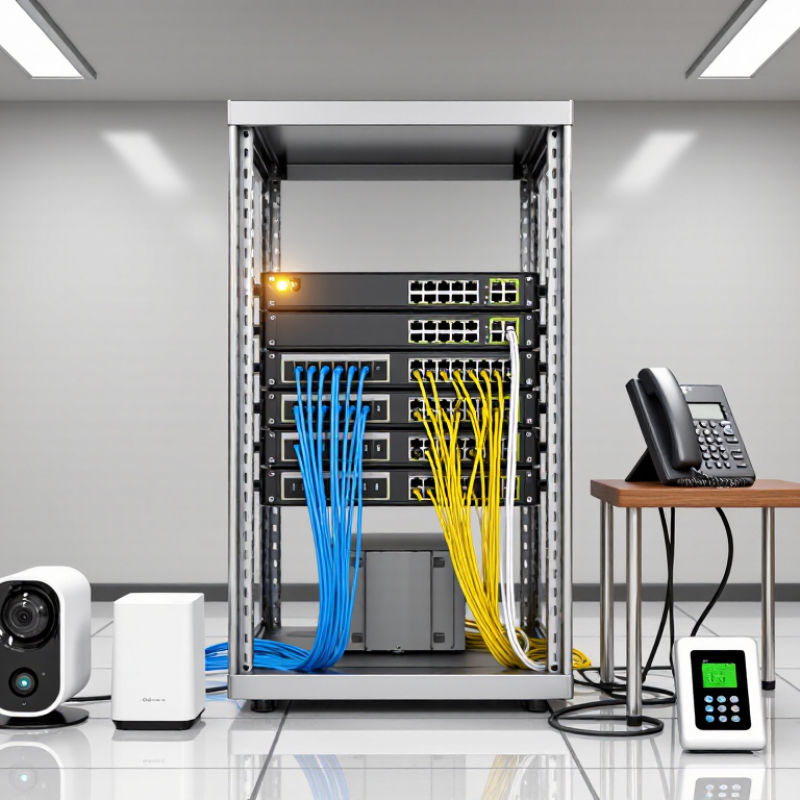
In real installations, a small office may connect phones, cameras, wireless access points, and access-control readers through one cabinet. Each device has different power needs. IEEE 802.3af, 802.3at, and 802.3bt standards help match switch output with device requirements. Check the total PoE budget, not only the wattage of each port. A switch with 24 ports may still struggle when several cameras operate at night.

Your environment matters too. A quiet office can use a fanless model, while a warehouse may require stronger cooling and industrial protection. Managed switches provide VLANs, traffic monitoring, redundancy options, and remote troubleshooting. These features often save time when a camera stops responding at 2 a.m. Unmanaged models remain practical for simple networks with limited technical demands.

Do not overlook installation details. Confirm uplink speed, rack depth, cable quality, surge protection, and warranty support. Reliable vendors should publish clear specifications and realistic power figures. Independent testing is useful, but field experience reveals weaknesses that brochures rarely mention. I have seen businesses buy inexpensive hardware, then replace it after adding more access points. That mistake is avoidable, though planning is never perfect. Leave room for growth, document your assumptions, and review the choice before deployment. A suitable switch should support today’s devices without quietly restricting tomorrow’s network.
How to Choose PoE Ethernet Switches for Your Business?

Define Business Requirements for a PoE Ethernet Switch

Defining business requirements should come before comparing PoE Ethernet switches. Start with the powered devices: cameras, wireless access points, VoIP phones, sensors, or digital signs. Record each device’s required wattage and location. A small office may need 15 ports, while a warehouse may need 48 ports and outdoor-rated cabling. Leave room for growth. A 20 percent port reserve is practical, though some projects need more.

Power budgets require careful checking. IEEE 802.3af provides up to 15.4 watts per port, while 802.3at raises this to 30 watts. Higher-power devices may require 802.3bt, supporting up to 60 or 90 watts, depending on the type. MarketsandMarkets’ Power over Ethernet Market report projects the market to grow from about 1.2 billion dollars in 2023 to 2.3 billion dollars by 2028. That growth reflects expanding device deployment, not a reason to overspend.

Network teams should also define uplink speed, VLAN support, redundancy, noise limits, and management needs. Managed switches offer better visibility and troubleshooting. Unmanaged models can reduce cost, but they provide little control during faults. I have seen plans focus on port count and overlook heat inside a crowded rack. That mistake is easy to repeat. Check the switch’s real power budget, not only its maximum port rating. Test cable distance, startup loads, and backup power behavior before installation.
Understand PoE Standards, Power Budgets, and Device Compatibility

How to Choose PoE Ethernet Switches for Your Business?

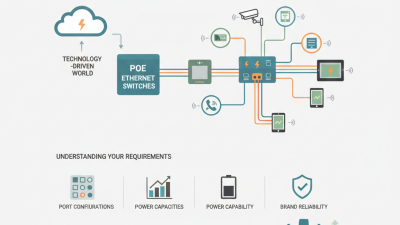
Choosing a PoE Ethernet switch starts with the device, not the switch cabinet. Check each camera, access point, phone, or sensor for its required PoE standard. IEEE 802.3af usually supports up to 15.4 watts per port. IEEE 802.3at raises this to 30 watts. IEEE 802.3bt can provide up to 60 or 90 watts, depending on its type. The powered device must support the switch’s delivery method. Compatibility matters more than impressive specifications.

Calculate the total power budget before installation. Add the maximum wattage of every connected device, then keep practical headroom for startup peaks and future expansion. A switch with twenty-four ports does not always power twenty-four high-demand devices simultaneously. Cable length and quality can also reduce available power, especially across older copper runs. Test the cable path, not only the device on a workbench.

I once saw a small deployment fail because the switch had enough ports but insufficient shared power. The numbers looked fine at first. They were not. Managed features can help monitor port consumption, link status, and unexpected device behavior. Passive PoE requires extra caution because it may deliver power without normal negotiation. That can damage incompatible equipment. Review the device datasheet, switch power table, and installation environment together. A cooler, well-ventilated cabinet may improve reliability, although it cannot fix an incorrect PoE standard.

How to Choose PoE Ethernet Switches for Your Business? - Understand PoE Standards, Power Budgets, and Device Compatibility

PoE Standard IEEE Type Maximum Power from Switch Maximum Power at Device Power Delivery Typical Compatible Devices
802.3af Type 1 15.4 W 12.95 W Two-pair power; approximately 44–57 V DC Basic IP phones, wireless access points, entry-level cameras, and simple sensors
802.3at Type 2 30 W 25.5 W Two-pair power; approximately 50–57 V DC Dual-band access points, video phones, pan-tilt-zoom cameras, and advanced IP terminals
802.3bt Type 3 60 W 51 W Four-pair power; approximately 50–57 V DC High-performance wireless access points, multi-sensor cameras, thin clients, and small displays
802.3bt Type 4 90–100 W Up to 71.3 W Four-pair power; high-power delivery over all twisted pairs High-power displays, advanced access points, video-conferencing systems, lighting, and building-control equipment

Business PoE Switch Selection Checklist

Selection Dimension What to Check Recommended Decision Rule Why It Matters
Required PoE standard The device’s IEEE PoE requirement and maximum wattage Select a switch that supports the device’s required standard; do not rely only on the port’s advertised maximum power A higher-power port does not guarantee compatibility if the device requires a specific negotiation method
Total power budget The switch’s total available PoE wattage across all ports Add the maximum power of all planned devices and retain a 10–20% reserve for growth and power loss A switch may support high power per port but still be unable to power every port simultaneously
Per-port power capacity The maximum wattage available on an individual port Confirm that each high-power device is connected to a port supporting its required PoE type Port-level limits can prevent a device from starting even when the total budget is sufficient
Device compatibility IEEE compliance, legacy support, and whether the device is powered or non-powered Ethernet equipment Prefer IEEE-standard PoE and verify compatibility for any passive-PoE or proprietary device Passive PoE can apply voltage without device detection and may damage incompatible equipment
Cabling and distance Cable category, conductor type, length, and installation quality Use compliant copper twisted-pair cabling; keep the permanent link and patch cords within the Ethernet channel limit of 100 m Cable resistance causes voltage drop and heat, reducing the power available at the device
Network speed 10/100 Mbps, Gigabit, 2.5 Gigabit, 5 Gigabit, or 10 Gigabit requirements Match the switch uplink and access-port speeds to current traffic and expected growth A PoE switch can deliver power while still becoming a bandwidth bottleneck
Management features VLANs, QoS, traffic monitoring, port scheduling, PoE restart, and SNMP or web management Choose a managed switch for business networks with voice, video, security, or multiple departments Management tools improve segmentation, troubleshooting, uptime, and power control
Power redundancy Input power options, backup power, and support for an uninterruptible power supply Use UPS-backed power for access-control, surveillance, voice, and other critical devices PoE devices remain unavailable if the switch loses its electrical supply

Power budget formula: Required PoE budget = total device power consumption × 1.10 to 1.20. Always verify the device datasheet, switch specifications, cable installation, and local electrical requirements before deployment.

Select the Right Switch Port Count, Speed, and Network Capacity

Choosing a PoE Ethernet switch starts with counting more than today’s devices. List cameras, access points, phones, sensors, and spare connections. Add at least 20 percent for growth and maintenance. A 16-port switch may support twelve devices comfortably, but crowded offices change quickly. Leave room. During site planning, I mark each cable endpoint on a floor plan. This simple step often exposes forgotten conference rooms and outdoor cameras. Port count should reflect location, cable runs, and future expansion, not just current invoices.

Speed matters when many powered devices share uplinks. Standard gigabit access ports suit most phones, cameras, and wireless access points. High-resolution cameras or busy access points may need faster connections. Check both port speed and uplink speed. Eight gigabit ports cannot perform well through one overloaded uplink. That mistake is easy to miss. For larger traffic flows, choose multi-gigabit access or faster fiber uplinks. Also verify cable quality and distance; an excellent switch cannot repair poor cabling.

Network capacity includes switching bandwidth, packet forwarding, and PoE power budget. Add device wattage, then reserve practical headroom for startup spikes and aging equipment. A switch with enough ports can still fail when its power budget is too small. I prefer recording measured loads after installation, not trusting labels alone. Yet measurements are not permanent. New firmware, brighter lighting, or extra cameras can alter demand. Review capacity quarterly and document every change. That habit is less elegant than guessing, but more reliable.

Evaluate Management Features, Security, Reliability, and Scalability

Choosing a PoE Ethernet switch requires more than counting ports and power budgets. Management features affect daily work. Look for a clear web interface, VLAN support, traffic monitoring, and firmware controls. These tools help separate office devices, cameras, phones, and guest access. Centralized logs can also reveal unusual traffic before it becomes a serious incident. Still, advanced features are useless when staff cannot configure them confidently. I have seen well-equipped networks suffer from simple misconfigured VLANs.

Security should be practical and layered. Select switches that support access control lists, secure administration, encrypted management, and port authentication. Disable unused ports and change default credentials immediately. Reliability depends on more than hardware ratings. Check power protection, cooling, operating temperature, warranty terms, and recovery behavior after an outage. A switch that resumes service cleanly can prevent hours of disruption. However, no device is completely fail-safe. Test backup procedures instead of trusting specifications alone.

Tips: Map every powered device before choosing the switch. Measure actual power consumption, not only advertised maximums. Leave spare PoE capacity for future cameras or access points. For scalability, consider stacking, uplink speed, fiber support, and manageable expansion. A small office may not need enterprise-level complexity today, but replacing switches twice can cost more than planning carefully. Review monitoring data monthly. Ask whether each feature solves a real operational problem. Growth is unpredictable. Your design should allow change without forcing a complete rebuild.

How to Choose PoE Ethernet Switches for Your Business? - Evaluate Management Features, Security, Reliability, and Scalability

PoE power capacity is a practical scalability indicator when selecting an Ethernet switch. IEEE 802.3af supports up to 15.4 W per port, 802.3at supports up to 30 W, 802.3bt Type 3 supports up to 60 W, and 802.3bt Type 4 supports up to 90 W at the power sourcing equipment.

In addition to power delivery, evaluate centralized management, VLAN and access-control features, secure authentication, traffic monitoring, redundant power or uplink options, operating-temperature specifications, warranty coverage, and available port capacity for future expansion.

Compare Installation Options, Total Cost, and Vendor Support

How to Choose PoE Ethernet Switches for Your Business?

Installation affects both reliability and labor costs. A wall-mounted switch suits a small office with short cable runs. A rack-mounted model works better in server rooms with labeled patch panels. Consider airflow, access, noise, and future expansion before choosing. Poor placement can turn a simple upgrade into expensive rewiring. Count powered devices carefully, including cameras, phones, access points, and door controllers.

Total cost includes more than the switch price. Add cabling, mounting hardware, power protection, configuration time, licenses, and replacement units. Check the PoE budget, not only the port count. A switch with twenty-four ports may not power twenty-four devices at full load. Energy use also matters when equipment runs continuously. Even a careful estimate can miss labor or emergency replacement costs. Recheck those assumptions.

Tips: Request three comparable quotes with installation details. Ask whether remote setup and on-site support are included. Confirm warranty length, response times, firmware access, and spare-part availability. A helpful vendor should explain limitations clearly, not promise perfect performance. Test support before purchase with practical questions. Record the answers. Then compare the total five-year cost, not just the initial invoice. You may still choose the cheaper option, but understand what you are accepting.