Leave Your Message
-
Phone
-
E-mail
-
Whatsapp
-
Wechat

Global networks are becoming denser, faster, and less forgiving of weak hardware choices. Cisco’s Annual Internet Report projected 29.3 billion connected devices worldwide by 2023, with machine-to-machine connections representing more than half of all connections. That growth continues to pressure data centers, enterprise campuses, factories, and service-provider networks. In this environment, the Ethernet Switch Sfp Port is not merely an extra socket. It influences uplink speed, fiber reach, redundancy, upgrade cost, and daily troubleshooting.
Industry reports support a more careful buying approach. IDC’s Worldwide Ethernet Switch Market research tracks continuing demand for higher-speed switching across cloud, enterprise, and campus deployments. The IEEE 802.3 standards define Ethernet performance requirements, while SFF-8472 and related MSA specifications guide digital monitoring and optical-module interoperability. Yet standards do not guarantee perfect compatibility. Firmware, vendor coding, temperature ratings, power budgets, and supported transceiver lists still require verification. Small details matter. A poorly matched optic can cause intermittent links, rising error counts, or an expensive return shipment.
This guide examines ten Ethernet switch SFP port options for global buyers. It considers port speed, SFP, SFP+, SFP28, and QSFP support, copper and fiber flexibility, management features, warranty terms, and supplier reliability. Real procurement experience suggests that the cheapest switch is rarely the lowest-cost choice over five years. Still, no ranking is permanent. Buyer requirements change quickly, and published specifications can omit practical limitations. Each option should therefore be checked against actual distance, traffic, climate, support, and expansion plans before purchase.
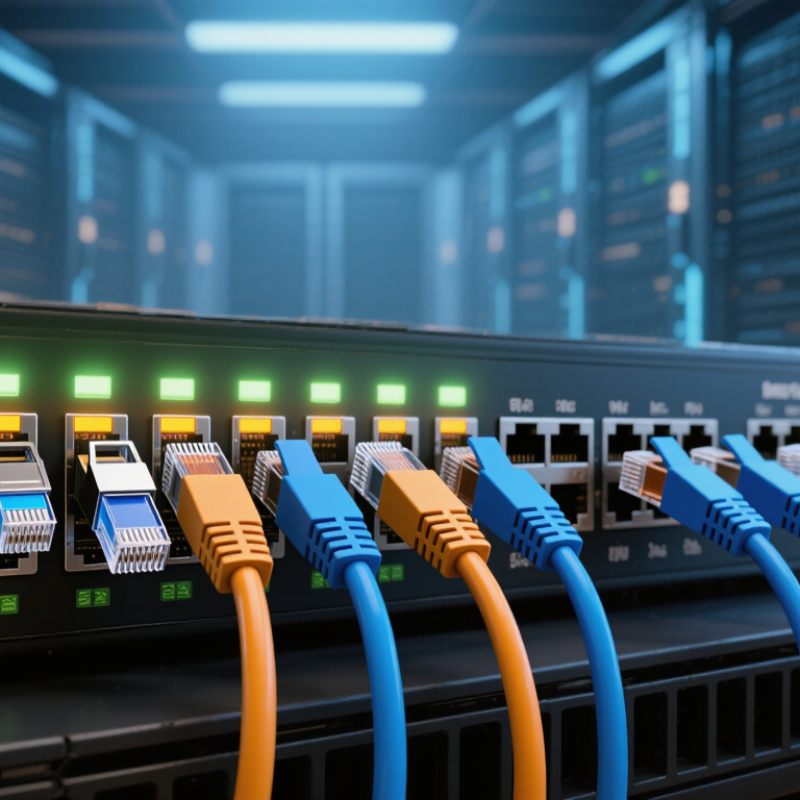
Top 10 Ethernet Switch SFP Port Options for Global Buyers
Ethernet switch SFP ports are modular interfaces for fiber or copper transceivers. They connect switches across server rooms, buildings, and data centers. The port itself is not a speed guarantee. The switch, transceiver, cable, and protocol must match. IEEE 802.3 standards define many related Ethernet speeds. The Ethernet Alliance’s 2023 roadmap highlights continued movement toward 400G and 800G links. IDC’s Worldwide Ethernet Switch Tracker also reports strong data-center switching demand. That growth makes flexible port selection increasingly important.
Ten practical options include 1G copper SFP, 1G SX, 1G LX, 10G SFP+ SR, 10G SFP+ LR, 10G DAC, 25G SFP28 SR, 25G SFP28 LR, 50G SFP56, and 100G QSFP28. SFP ports support hot-swappable upgrades and simpler maintenance. Copper modules suit short, existing runs. Multimode fiber works well inside facilities. Single-mode fiber reaches farther between buildings. DAC cables reduce cost in short rack connections. However, port compatibility is often underestimated. A higher-speed module may not operate in an older switch. The ranking is not absolute.
Tips: Check switch compatibility, transmission distance, fiber type, power limits, and operating temperature before purchasing. Keep spare modules from approved specifications. Test link negotiation before full deployment. Not every upgrade pays back. A cheaper 10G link may outperform unused 100G capacity in a small office.
| Rank | Port Option | Form Factor | Nominal Data Rate | Typical Media | Connector | Typical Maximum Reach | Duplex Mode | Common Ethernet Standard | Core Function | Best-Fit Deployment |
|---|---|---|---|---|---|---|---|---|---|---|
| 1 | 1000BASE-T Copper SFP | SFP | 1 Gb/s | Category 5e or better balanced copper cable | RJ45 | Up to 100 m | Full duplex | IEEE 802.3ab | Provides Gigabit Ethernet connectivity over existing copper cabling through a modular SFP slot. | Access networks, offices, surveillance systems, and copper-based equipment rooms |
| 2 | 1000BASE-SX Multimode Fiber SFP | SFP | 1 Gb/s | Multimode optical fiber | Duplex LC | Up to 550 m, depending on fiber grade | Full duplex | IEEE 802.3z | Uses short-wavelength optical transmission for reliable Gigabit links inside buildings and data centers. | Short-reach server access, campus buildings, and data-center rack interconnection |
| 3 | 1000BASE-LX Single-Mode Fiber SFP | SFP | 1 Gb/s | Single-mode fiber; compatible multimode operation may require a mode-conditioning patch cord | Duplex LC | Up to 10 km on single-mode fiber | Full duplex | IEEE 802.3z | Extends Gigabit Ethernet over longer fiber paths than short-reach multimode solutions. | Campus backbones, building-to-building links, and metropolitan access networks |
| 4 | 10GBASE-SR Multimode Fiber SFP+ | SFP+ | 10 Gb/s | OM3, OM4, or OM5 multimode fiber | Duplex LC | Up to 300 m on OM3; up to 400 m on OM4/OM5 | Full duplex | IEEE 802.3ae | Delivers high-bandwidth short-distance switching links using parallel or duplex multimode infrastructure. | Data-center top-of-rack connections and high-speed server aggregation |
| 5 | 10GBASE-LR Single-Mode Fiber SFP+ | SFP+ | 10 Gb/s | Single-mode optical fiber | Duplex LC | Up to 10 km | Full duplex | IEEE 802.3ae | Supports long-distance 10 Gigabit Ethernet transmission with low electromagnetic interference. | Campus backbones, data-center interconnects, and metro access links |
| 6 | 10GBASE-ER Single-Mode Fiber SFP+ | SFP+ | 10 Gb/s | Single-mode optical fiber | Duplex LC | Up to 40 km | Full duplex | IEEE 802.3ae | Provides extended-reach 10 Gigabit Ethernet for geographically separated switching locations. | Metropolitan networks, utility networks, and long campus or regional links |
| 7 | 10G SFP+ Direct-Attach Copper Cable | SFP+ DAC | 10 Gb/s | Shielded twinaxial copper cable | Fixed SFP+ ends | Typically up to 7 m for passive assemblies | Full duplex | 10 Gigabit Ethernet over SFP+ direct attach | Creates a low-latency, economical switch-to-server or switch-to-switch connection without separate optical transceivers. | Same-rack and adjacent-rack data-center connections |
| 8 | 25GBASE-SR Multimode Fiber SFP28 | SFP28 | 25 Gb/s | OM3, OM4, or OM5 multimode fiber | Duplex LC | Typically up to 70 m on OM3 and 100 m on OM4/OM5 | Full duplex | IEEE 802.3by | Provides higher server and switch uplink capacity while retaining the compact SFP form factor. | Modern data-center server access and leaf-spine network connections |
| 9 | 40GBASE-SR4 Multimode Fiber QSFP+ | QSFP+ | 40 Gb/s | Four-lane multimode parallel fiber | MPO/MTP-style multifiber connector | Up to 100 m on OM3 and 150 m on OM4 | Full duplex | IEEE 802.3ba | Aggregates four 10 Gb/s optical lanes into one high-density 40 Gigabit Ethernet switch port. | Data-center spine links, aggregation switches, and high-density uplinks |
| 10 | 100GBASE-SR4 Multimode Fiber QSFP28 | QSFP28 | 100 Gb/s | Four-lane multimode parallel fiber | MPO/MTP-style multifiber connector | Up to 70 m on OM3 and 100 m on OM4/OM5 | Full duplex | IEEE 802.3bm | Combines four 25 Gb/s optical lanes to provide high-density 100 Gigabit Ethernet connectivity. | Spine-leaf architectures, data-center aggregation, and high-capacity switch uplinks |