10 Best Ethernet Switches With SFP Ports?
Choosing among the 10 Best Ethernet Switches With SFP Ports requires more than comparing port counts and advertised speeds. In real installations, an Ethernet Switch Sfp Port can connect fiber uplinks, extend network distances, and reduce congestion between switches. However, performance depends on transceiver compatibility, cable quality, cooling, and the network’s actual workload. A compact switch may suit a quiet office, while a rack-mounted model may better support cameras, servers, and multiple access points. Small details matter.
This guide compares ten practical options for homes, offices, studios, and growing business networks. Each switch is examined through speed, SFP or SFP+ support, management features, PoE availability, noise levels, reliability, and overall value. These factors reflect common deployment concerns, not only laboratory specifications. We also consider installation experience, including confusing interfaces, limited documentation, and heat produced during continuous operation. Some conclusions may change as firmware improves or prices shift. That is worth acknowledging.
The best choice is rarely the most expensive model. It should match your bandwidth needs, expansion plans, and technical confidence. Managed switches offer useful VLAN and monitoring tools, but they can overwhelm beginners. Unmanaged models install quickly, although they provide less control. Before buying, check whether the included or selected optical modules are supported. A promising switch can become frustrating when compatibility is overlooked. By weighing these practical differences, readers can identify a dependable option instead of chasing specifications alone.
What Are Ethernet Switches With SFP Ports?
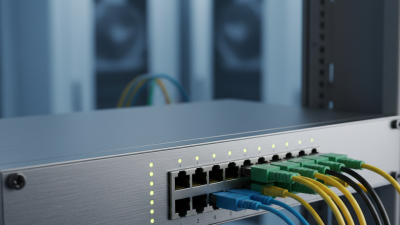
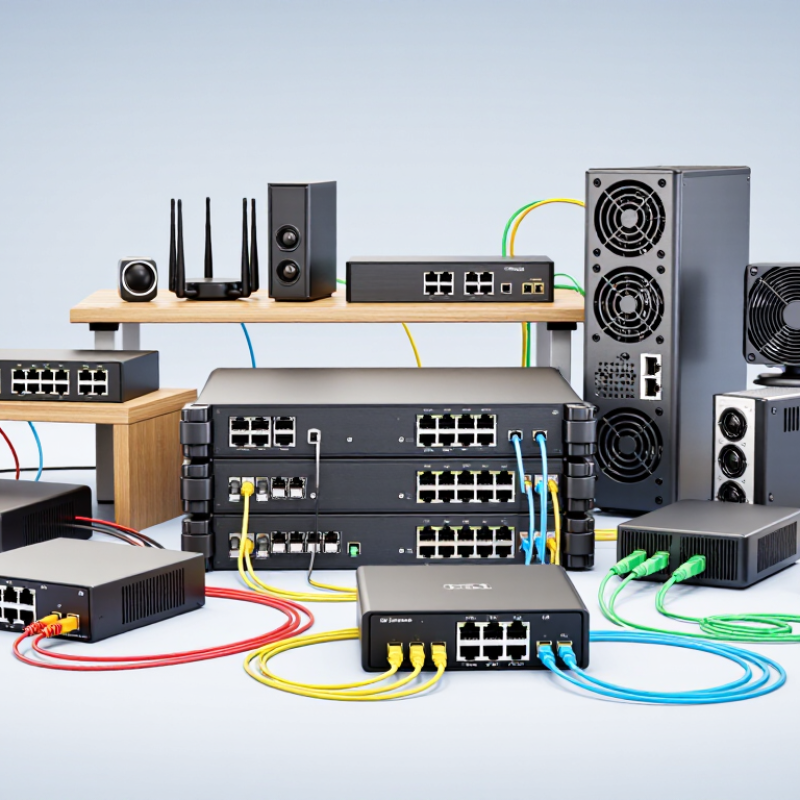
An Ethernet switch with SFP ports connects network devices through removable transceivers. SFP means Small Form-factor Pluggable. The port accepts a module for fiber or copper connections. This design gives network administrators more flexibility than fixed copper ports.
In practice, an SFP port can link a server, storage system, or another switch across a long distance. Fiber modules often support cleaner connections between rooms or buildings. Copper modules may suit short links that use familiar twisted-pair cables. A technician should check speed, cable type, connector format, and transmission distance before installation. Small mismatches can cause unstable links.
These switches are useful in offices, surveillance networks, laboratories, and growing data rooms. Managed models commonly provide VLANs, link monitoring, traffic controls, and diagnostic information. Those tools help identify packet loss or a damaged cable. However, SFP does not automatically mean faster performance. The switch, module, cable, and connected device must support the same standard. I have seen installations where the hardware looked compatible, but the modules used different signaling requirements. That mistake created unnecessary troubleshooting. Power consumption and heat also deserve attention, especially when several optical modules operate together. A careful deployment records each port, module type, distance, and tested speed. Some planning feels excessive, yet it can prevent a late-night cable hunt.
10 Best Ethernet Switch Configurations With SFP Ports
Comparison of common Ethernet switch configurations by SFP-capable port count and total switching capacity. Values represent typical market specifications and exclude brand-specific models.
SFP ports provide modular fiber or copper uplink options, while higher switching capacity supports more simultaneous traffic with less congestion.
Key Factors for Choosing an SFP-Enabled Ethernet Switch
Choosing an SFP-enabled Ethernet switch starts with the network’s actual distance and traffic demands. Copper ports suit desks and nearby devices. SFP ports connect servers, switches, or cameras across longer runs. Fiber can also reduce electromagnetic interference in workshops and crowded equipment rooms.
Check the transceiver standard before buying. SFP commonly supports 1Gbps links, while SFP+ supports 10Gbps connections. They are not always interchangeable at the desired speed. Confirm fiber type, connector style, transmission distance, and wavelength. A mismatch may leave the link unstable or completely inactive.
I once treated port speed as the main factor and overlooked uplink capacity. That mistake created congestion during backups.
Look beyond the port count. A switch needs enough switching capacity for simultaneous traffic, not just impressive port numbers. Managed models provide VLANs, traffic monitoring, link aggregation, and access controls. These tools help separate guest devices from business systems and reveal failing links earlier.
For continuous operation, consider redundant power, cooling, surge protection, and operating temperature. Small offices may prefer simple management, while growing networks need configuration backups and firmware support.
Verify interoperability through technical documentation, because “compatible” can mean different things between suppliers. A few spare transceivers and labeled fiber paths can prevent a rushed maintenance visit.
10 Best Ethernet Switches With SFP Ports Compared
Comparing the 10 best Ethernet switches with SFP ports requires more than counting interfaces. I examine port speed, uplink capacity, switching bandwidth, cooling, management tools, and warranty support. A compact eight-port switch may suit a small office, while a 24-port model offers better growth. However, unused ports still consume budget and rack space.
The first four options focus on affordable Gigabit access, with one or two SFP uplinks for fiber connections. They work well beside a patch panel or security gateway. Options five through seven add managed features, including VLANs, link aggregation, traffic monitoring, and loop prevention. These controls matter when several departments share one network. The final three choices usually provide multi-gigabit copper ports, faster SFP+ uplinks, and stronger backplanes for servers or storage systems. More speed is not automatically better.
Check the SFP module requirements carefully. Some switches accept only specific transceiver speeds or fiber types. I once treated a low fan-noise rating as a major advantage, then found the unit ran hot inside a closed cabinet. That comparison needed more real-world testing. Port layout also deserves attention; tightly spaced sockets can make short fiber cables awkward. For dependable deployment, I would verify switching capacity, forwarding rate, power draw, firmware history, and installation depth before choosing among the ten.
How to Match SFP Ports With Your Network Requirements
Choosing among the 10 best Ethernet switches with SFP ports starts with the network, not the product label. Count current connections, expected growth, and uplink speed. A small office may need eight copper ports and two 1G SFP ports. A server room may require 10G SFP+ uplinks and redundant power.
Match the SFP type to the cable already installed. Multimode fiber suits shorter links, such as 300 meters over common OM3 cabling. Single-mode fiber supports longer runs, often several kilometers. Check the transceiver’s wavelength, speed, connector, and optical budget. A 10G module will not automatically work in a 1G port. Compatibility tables are essential.
I once selected a switch by port count and overlooked heat inside a crowded rack. That mistake increased fan noise and reduced installation comfort. Measure rack depth, airflow direction, and power draw before ordering. Managed switches provide VLANs, link monitoring, and loop protection, which matter in growing networks. Unmanaged models can be practical for simple extensions.
Do not ignore transceiver availability. Some switches accept only approved modules, while others support broader compatibility. Verify firmware behavior and replacement costs. A slightly cheaper switch may become expensive when every optical module needs replacement. Test one complete link before deployment. Real cable length, patch panels, and dirty connectors can expose problems that a specification sheet misses.
Installation and Management Tips for SFP Ethernet Switches
Installing an SFP Ethernet switch starts with planning, not plugging cables. IDC’s Worldwide Ethernet Switch Market Tracker reported 15.9% year-over-year revenue growth in Q2 2024, reflecting continued demand for higher-capacity networks. That demand makes careful module selection important. Match the SFP or SFP+ module to the switch specification, fiber type, distance, and required speed. Never force a connector. Keep protective caps on unused ports, and clean fiber ends before insertion. Small dust particles can create large signal problems.
Label both ends of every fiber. Record port numbers, module types, wavelengths, and cable lengths in a simple network log. During commissioning, check link speed, duplex settings, optical power, and interface errors. The IEEE 802.3 standards define Ethernet operation, but practical compatibility still depends on approved transceivers and switch firmware. I have seen “working” links fail after temperature changes or minor cable movement. That mistake is easy to miss.
Management should include alerts for CRC errors, rising temperature, dropped links, and unusual traffic. SNMP or a web console can provide useful visibility, although default credentials should never remain active. Network monitoring reports often identify symptoms, not causes. A dirty connector may appear as an unstable switch port. Test with a known-good module and cable before replacing hardware. My own preference is conservative documentation, even when the network seems simple. It takes minutes, and saves an uncertain afternoon later.