Leave Your Message

7 Tips to Choose a SenseCAP PoE Splitter?

Choosing the right Sensecap Poe Splitter can determine whether an outdoor gateway runs reliably or restarts without warning. A splitter may look like a small adapter, yet its voltage, current, and connector details affect the entire installation. This guide introduces seven practical tips for making a safer, better-informed choice.

Real installations rarely match a product photo. A rooftop sensor may face long Ethernet runs, heat, rain, limited cabinet space, and unstable power sources. Check the splitter’s input standard, output voltage, maximum current, and connector type against your SenseCAP device. Do not assume every PoE injector or network switch delivers the same power. Verify IEEE compatibility and review the manufacturer’s datasheet before ordering. Small differences matter.

Start with the power budget. Then inspect protection. Consider surge resistance, overheating control, grounding, and enclosure quality. Cable length deserves attention too. A thin cable can create voltage loss, especially across distant equipment. Choose a splitter with a suitable efficiency rating and enough operating margin. More capacity is not always better; excessive output voltage can damage sensitive hardware.

Field testing adds useful confidence. Measure the output with a reliable meter, test the device under load, and observe its temperature after several hours. Documentation should be clear, current, and traceable to the manufacturer. Still, no selection guide can remove every uncertainty. Local weather, cable quality, and installation mistakes may change the result. That is why this article compares seven selection points, while acknowledging that a neat installation can still need adjustment.
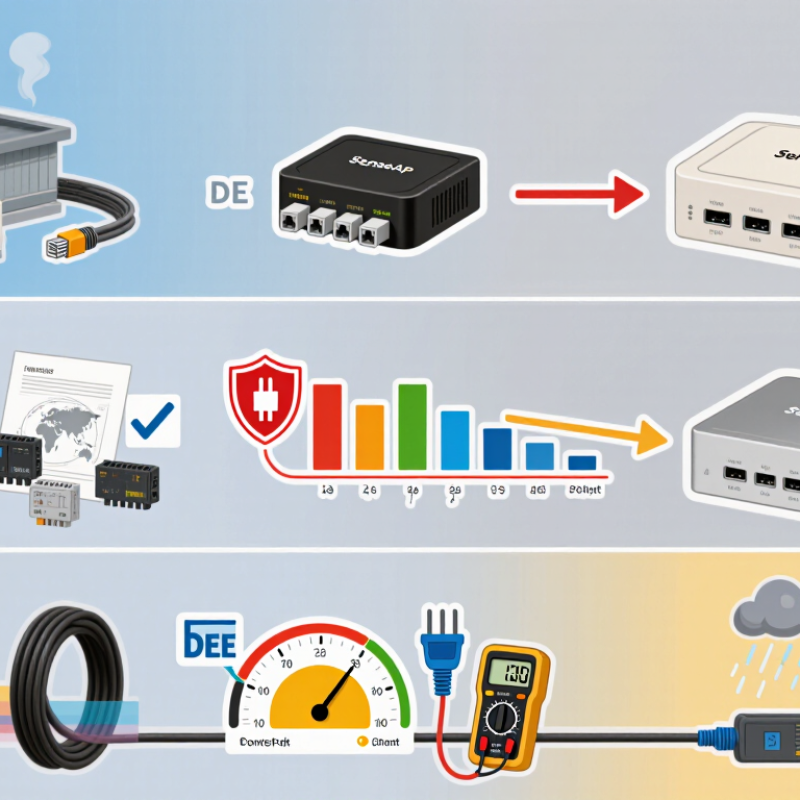
7 Tips to Choose a SenseCAP PoE Splitter?

Identify the SenseCAP Device, Power Needs, and Network Requirements

Start with the exact device model, not just its general category. A compact sensor gateway and an outdoor network unit may use different input voltages, connectors, or power limits. Check the device label and technical manual, then compare their requirements with the splitter’s output. Voltage must match; available current should meet or exceed the device’s stated demand. I still double-check labels, because small print is easy to misread. Small details matter.

Next, confirm the splitter accepts the type of Power over Ethernet supplied by your switch or injector. Standards and power budgets vary, so verify compatibility rather than assuming any PoE source will work. Add the device’s peak draw, including attached sensors or accessories, and leave reasonable headroom. A unit that works on a quiet test bench may behave differently when everything is connected.

Network needs matter too. Check the port speed, cable length, and connector type, especially if the installation runs outdoors or through a long cable route. The splitter should pass data at the speed your device uses while delivering stable power. Measure the route and inspect the cable condition. It sounds obvious, but it gets missed. If specifications are unclear, ask the equipment supplier before connecting power; guessing can damage hardware.
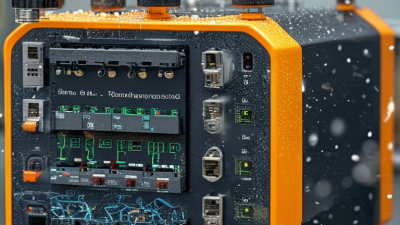
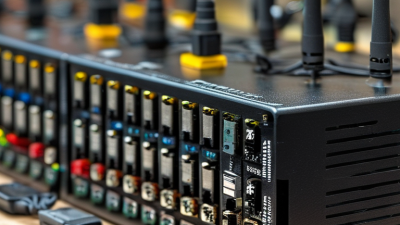
Check PoE Standards, Voltage Output, and Power Delivery Limits

A PoE splitter must match both the Ethernet power standard and the device’s DC input. IEEE 802.3af allows up to 15.4 watts at the source, but only 12.95 watts at the powered device. Under IEEE 802.3at, those figures rise to 30 watts and 25.5 watts. Higher-power IEEE 802.3bt equipment supports up to 90 watts at the source, with up to 71.3 watts available to the device. Check the splitter’s supported class, not just its connector shape. Small detail. Often missed.

Next, verify the splitter’s output voltage, polarity, and current against the device label or manual. A 12-volt device may not tolerate a 24-volt output, even when the plug fits. Calculate power as volts multiplied by amps, then compare it with the device’s peak demand. Leave room for conversion losses: Ethernet power available at the splitter input is not all delivered as DC output. IEEE 802.3 specifications account for power budgets across the link, and cable length and quality can affect what reaches the endpoint. A common mistake is sizing for typical use rather than startup or radio-transmission peaks. Check the complete setup under load where possible; specifications can look reassuring on paper.

Match the Splitter Port, Connector Type, and Installation Environment

Choose the splitter by matching its output port to the device, not by appearance. A camera with a 12-volt barrel input needs a splitter with the correct voltage, polarity, and plug size. For a device using USB-C, confirm that the splitter supports its required power profile. Small mismatches matter: a loose barrel plug can interrupt power when a cable shifts. Check the device label and manual before ordering.

Tip: Match the Ethernet side, too. Confirm the splitter’s data rate and whether it supports the network cable category already installed. IEEE 802.3bt allows up to 90 watts from the power-sourcing equipment, while the powered device receives less after cable losses. This figure comes from the IEEE 802.3bt standard; it is not a promise that every splitter delivers 90 watts. Compare the splitter’s rated output with the device’s actual demand.

Installation conditions deserve equal attention. For a damp cabinet, dusty workshop, or sunlit pole, check the enclosure’s ingress rating and operating-temperature range. Leave room for cable bends, and avoid placing connectors where rain can collect. A neat installation can still trap heat.

Tip: Test the complete setup under load before mounting it permanently; a brief bench test may miss voltage drop on a long cable. It is easy to overlook.

Evaluate Safety Features, Compatibility, and Long-Term Reliability

A SenseCAP PoE splitter should be judged by more than its output voltage. Safety details matter: look for overcurrent, overvoltage, short-circuit, and thermal protection, plus clear ratings on the casing. The IEEE 802.3bt standard specifies up to 90 watts from the power-sourcing equipment and up to 71.3 watts at the powered device. That gap reflects cable and conversion losses. Choose a splitter whose input standard and output voltage match the sensor, and leave sensible power headroom. A plug that fits is not proof of compatibility.

Tip: Check the installation environment. A splitter mounted in a damp cabinet or exposed to summer heat needs suitable ingress and temperature ratings. Inspect cable strain relief, connector fit, and enclosure seams; small weaknesses can become the failure point after months outdoors. For long cable runs, verify the expected voltage at the device, not just at the power source. Measure it under load if possible. That extra check is easy to skip.

Tip: Favor documented testing and replaceable, readily available cables. The Uptime Institute’s 2023 annual outage analysis reported that power issues remained a leading cause of serious data-center outages, a reminder that power-path reliability deserves attention even in smaller deployments. The report does not assess splitters specifically, so don’t treat it as a product ranking. Keep a spare and record the model, ratings, and installation date. I’d also recheck connections after the first temperature swings; it’s a slightly fussy habit, but loose fittings are easy to miss.

Compare Specifications, Total Cost, and Support Before Choosing

A reliable PoE splitter should match your network equipment, power needs, and installation environment. Check the input voltage, output voltage, wattage limit, Ethernet speed, and connector type. A mismatch can cause unstable devices or repeated restarts. Measure twice.

Tip: Compare specifications line by line. Confirm whether the splitter supports the required IEEE PoE standard. Also check operating temperature, enclosure strength, and cable length limits. A compact unit may fit neatly inside a cabinet, but poor ventilation can shorten its service life.

Tip: Calculate the total cost, not only the purchase price. Include injectors, power supplies, replacement cables, shipping, installation time, and possible downtime. A cheaper splitter may need extra accessories. That difference becomes noticeable across ten or twenty installations. I once underestimated connector costs, and the budget changed quickly.

Tip: Review technical support before choosing. Look for clear manuals, wiring diagrams, response times, warranty terms, and firmware guidance. Support should explain faults without vague promises. Ask how returns are handled and whether replacement stock is available locally. Documentation often reveals practical weaknesses that product photos hide. Field testing is still valuable, because published specifications cannot predict every heat, cable, or interference problem.

7 Tips to Choose a PoE Splitter? Compare Specifications, Total Cost, and Support Before Choosing

Tip Comparison Dimension What to Check Practical Specification or Benchmark Total Cost Impact Recommended Verification
1PoE Standard Compatibility with the power source Confirm whether the splitter supports IEEE 802.3af, IEEE 802.3at, or another documented PoE input standard. 802.3af commonly supplies up to 15.4 W at the source; 802.3at commonly supplies up to 30 W at the source. The usable output is lower because of conversion losses. A splitter that does not match the injector or switch may require an additional injector or replacement equipment. Check the technical datasheet and verify the power class, input voltage range, and maximum output power.
2Output Voltage Electrical fit for the endpoint device Compare the splitter's DC output voltage and polarity with the powered device's input requirements. Common outputs include 5 V, 9 V, and 12 V DC. The voltage must match the endpoint's required input; a higher voltage can damage equipment. An incorrect output may cause device failure, returns, or the need for a separate regulated power supply. Read the endpoint label or manual and confirm connector polarity, plug size, and rated current.
3Power Budget Available output power and current Compare the splitter's rated output wattage with the endpoint's normal and peak power demand. Allow a practical margin of at least 20% above the endpoint's expected maximum demand. For example, a 10 W device should preferably use a splitter rated for at least 12 W. Insufficient power can cause random reboots, communication loss, or intermittent operation that increases maintenance costs. Calculate output power as voltage × current and check the device's startup or peak consumption.
4Conversion Efficiency Energy consumption and heat generation Review efficiency, no-load consumption, thermal performance, and whether the unit regulates voltage under changing loads. For continuous operation, a higher-efficiency design reduces wasted energy. As an example, converting 15 W at 85% efficiency requires about 17.6 W from the PoE input. Lower efficiency increases electricity use and may require additional ventilation or more frequent replacement. Request efficiency data at typical loads, not only the maximum rated load, and check operating-temperature limits.
5Network and Connector Design Data transmission and installation reliability Check Ethernet speed, connector type, cable compatibility, DC plug dimensions, and cable length requirements. For standard Ethernet installations, verify support for 10/100 Mbps or 10/100/1000 Mbps as required. Use compatible twisted-pair Ethernet cabling and avoid forcing an incorrect DC plug. Incorrect connectors or insufficient network speed can lead to adapter purchases, installation delays, or reduced system performance. Confirm pinout, connector dimensions, cable category, link-speed support, and installation drawings before ordering.
6Environmental Protection Suitability for indoor, outdoor, or industrial use Compare the operating-temperature range, humidity rating, enclosure protection, surge protection, and mounting options. For exposed installations, look for a documented IP rating appropriate to the location. IP ratings describe protection against solids and water; they do not automatically prove resistance to lightning or electrical surges. A more robust enclosure may cost more initially but can reduce weather-related failures, replacements, and service visits. Review the environmental test conditions, installation orientation, grounding instructions, and surge-protection specifications.
7Support and Total Cost Lifecycle value rather than purchase price alone Compare warranty length, documentation quality, replacement policy, technical response time, shipping, taxes, accessories, and installation labor. Calculate total cost as: unit price + accessories + shipping and taxes + installation + expected maintenance and replacement cost. A lower-priced splitter may become more expensive if it lacks clear specifications, spare availability, or responsive technical support. Request a written quotation, warranty terms, troubleshooting guide, product revision details, and support contact before purchase.

Selection rule: Choose a splitter only after confirming PoE compatibility, output voltage, power margin, connector fit, environmental suitability, and the complete lifecycle cost.