Leave Your Message
-
Phone
-
E-mail
-
Whatsapp
-
Wechat

Choosing among Poe Splitters is no longer a simple price comparison. Global buyers now connect cameras, wireless access points, VoIP phones, sensors, and industrial terminals in demanding environments. Each device may require different voltage, wattage, connector design, and protection.
Industry forecasts show strong expansion in Power over Ethernet equipment. MarketsandMarkets projects continued growth in the PoE market through 2028. Grand View Research also identifies smart buildings, surveillance, and connected infrastructure as major demand drivers. These reports describe broad PoE solutions, not splitters alone. That distinction matters.
IEEE 802.3af, 802.3at, and 802.3bt provide the technical foundation. They define power classes, negotiation behavior, and delivery limits. A splitter must match the injector or switch standard. It must also suit the endpoint’s voltage. A mismatch can create unstable operation, heat, or early hardware failure.
Peter Jones, a recognized Ethernet Alliance leader and PoE specialist, has emphasized that “PoE is a key enabler for the Internet of Things.” His point remains practical. One Ethernet cable can simplify installation, especially where electrical outlets are scarce. However, convenience should not replace testing.
This guide compares Poe Splitters for international buyers. It examines output voltage, power capacity, efficiency, isolation, housing quality, certifications, and regional support. Some models look excellent on paper. Real results may differ with long cables, hot cabinets, or poor connectors.
No ranking is perfect.
Buyers should verify datasheets, warranty terms, plug compatibility, and actual load requirements before ordering. The best splitter is not always the cheapest or the most powerful. It is the model that delivers stable power, safe integration, and predictable service in the buyer’s real environment.
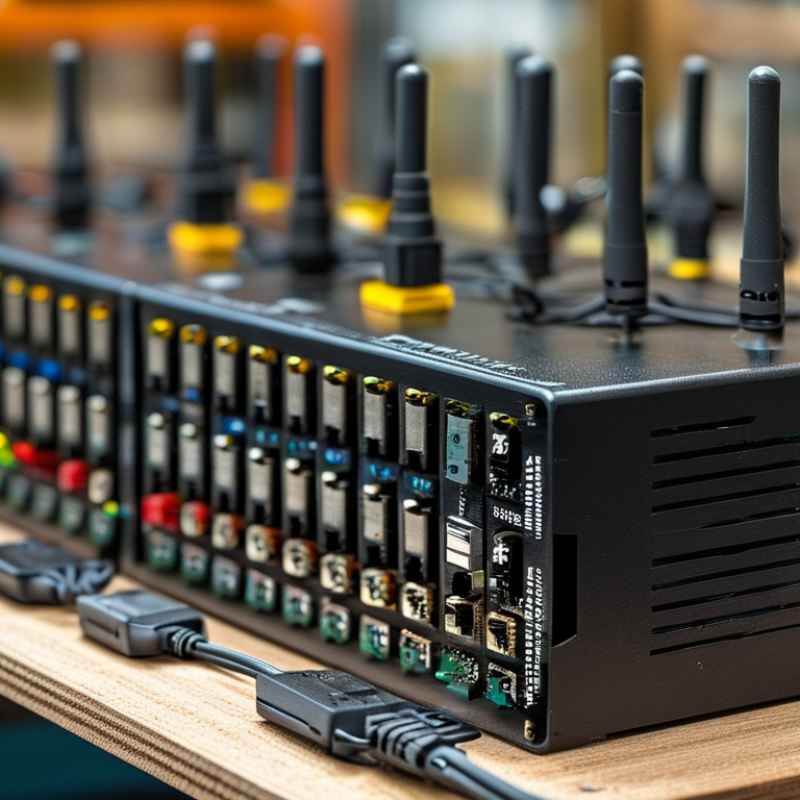
PoE splitters separate Ethernet data from DC power, helping legacy devices run from a PoE network. The standard matters more than the product label. IEEE 802.3af delivers up to 15.4 watts from the power-sourcing equipment, with about 12.95 watts available to the device. IEEE 802.3at raises this to 30 watts and approximately 25.5 watts at the endpoint. These limits suit access points, VoIP phones, and many fixed cameras.
Higher loads need IEEE 802.3bt. Type 3 can provide roughly 60 watts, while Type 4 reaches about 90 to 100 watts at the source. Usable endpoint power is lower, commonly near 51 watts and 71 watts. Check the splitter’s input class, output voltage, connector polarity, and efficiency. A 12-volt camera may fail when paired with a 5-volt splitter. Small details matter.
Market data supports careful selection. MarketsandMarkets forecasts the global PoE market to grow from about USD 1.5 billion in 2023 to USD 2.4 billion by 2028, representing a 10.1% CAGR. Grand View Research also identifies rising powered devices and structured-network upgrades as major growth drivers. These reports suggest broader deployment, not universal compatibility. In field testing, a splitter may pass data yet reboot under peak load. That weakness is easy to miss. A higher wattage rating is not automatically better; thermal design, cable length, and negotiated power classification still decide reliability. Test the complete setup before installation.
| Selection Profile | Supported IEEE PoE Standard | PSE Power Available | Maximum PD Input Power | Typical Splitter Output | Recommended Device Load | Best-Fit Applications | Important Buying Check |
|---|---|---|---|---|---|---|---|
| Basic PoE Splitter | IEEE 802.3af, Type 1 | Up to 15.4 W at the PSE | Up to 12.95 W at the powered device | Commonly 5 V, 9 V, or 12 V DC; Ethernet data remains available | Low-power network devices below approximately 10 W | IP phones, compact access points, sensors, small network terminals | Confirm the device voltage, polarity, DC plug size, and actual power consumption |
| High-Power PoE Splitter | IEEE 802.3at, Type 2 | Up to 30 W at the PSE | Up to 25.5 W at the powered device | Commonly 12 V, 18 V, or 24 V DC; Gigabit Ethernet may be supported | Devices requiring approximately 13–25 W | Wireless access points, surveillance cameras, access-control terminals, embedded computers | Check whether the splitter supports the required output voltage and maintains sufficient power after conversion losses |
| 4-Pair PoE Splitter | IEEE 802.3bt, Type 3 | Up to 60 W at the PSE | Up to 51 W at the powered device | Typically 12 V, 19 V, or 24 V DC; uses all four twisted pairs | Devices requiring approximately 25–50 W | Multi-radio access points, PTZ cameras, digital signage, thin clients, small displays | Verify that the switch or injector is Type 3 and that the splitter accepts 4-pair PoE input |
| Ultra-High-Power PoE Splitter | IEEE 802.3bt, Type 4 | Up to 90–100 W at the PSE, depending on equipment design | Up to 71.3 W at the powered device | Typically 19 V or 24 V DC; four-pair input is required | Devices requiring approximately 50–70 W | High-performance access points, industrial terminals, displays, compact computers, advanced cameras | Confirm the exact PSE output, cable category, thermal design, and splitter derating at high temperature |
| Gigabit Data Splitter | Depends on the power class; commonly 802.3af or 802.3at | Determined by the selected PoE standard | Determined by the selected PoE standard and conversion efficiency | DC power plus 10/100/1000 Mbps Ethernet data | Applications requiring fast network throughput and separate DC input | Gigabit access points, network cameras, industrial controllers, compact servers | Make sure the input and output ports both support the required data rate; power capability does not guarantee Gigabit performance |
| Non-Standard Passive Splitter | Not IEEE 802.3af/at/bt compliant | Varies by the external power source | Varies; no standard PoE negotiation or classification | Fixed DC voltage selected by the system design | Dedicated installations with known, compatible equipment | Closed networks, laboratory systems, and custom industrial installations | Do not connect to unknown PoE equipment; incorrect voltage or polarity can damage the powered device |
| Technical reference: IEEE 802.3af provides up to 15.4 W from the Power Sourcing Equipment (PSE) and up to 12.95 W at the Powered Device (PD). IEEE 802.3at provides up to 30 W PSE power and 25.5 W PD power. IEEE 802.3bt Type 3 provides up to 60 W PSE power and 51 W PD power, while Type 4 can provide approximately 90–100 W PSE power and up to 71.3 W PD power. Actual splitter output depends on conversion efficiency, cable length, temperature, connector selection, and the power budget of the PoE source. | |||||||