Leave Your Message

How to Choose the Right SenseCAP PoE Splitter?

Choosing the right Sensecap Poe Splitter starts with the device it must power, not the product name alone. A splitter separates power and data from a PoE Ethernet connection, but its output must match the connected device. Check the required voltage, current, connector type, and total power draw against the splitter’s specifications. Small details matter. A connector that looks correct may still have the wrong polarity or fit.

Compatibility comes first.

Before buying, confirm the exact SenseCAP device model and review its official documentation. PoE standards, cable conditions, and power budgets can affect whether a setup works reliably. Also consider where the splitter will be installed. An outdoor sensor may need suitable weather protection, while a long cable run can make power delivery less dependable. These are easy details to overlook when comparing product listings.

A careful choice can prevent unstable readings, unexpected restarts, or a device that never powers on. Still, specifications do not tell the whole story; installation conditions matter too. If a listing leaves output details unclear, do not guess. Ask the supplier or check the manufacturer’s datasheet. It may feel like extra work, but verifying compatibility before installation is simpler than troubleshooting a silent sensor later. The sections ahead explain which specifications to compare, how to assess your setup, and what to confirm before choosing a Sensecap Poe Splitter.

How to Choose the Right SenseCAP PoE Splitter?

What a SenseCAP PoE Splitter Does

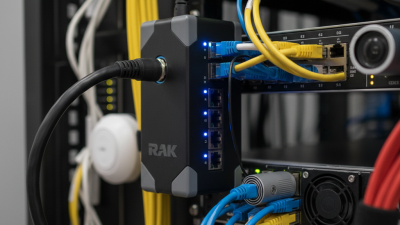
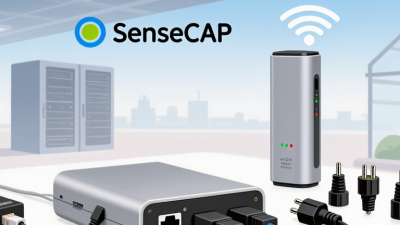
A PoE splitter takes one Ethernet cable carrying both network data and power, then separates them near the device. Its data port connects to a non-PoE camera, sensor, or small gateway, while its DC lead supplies power. One cable run can replace two, especially when equipment sits on a shelf or inside a protected enclosure. Simple idea.

The splitter does not create power. A PoE switch or injector must provide compatible power, and the splitter must convert it to the voltage the device requires. Check the output voltage, current capacity, connector size, and polarity against the device label—not just the plug shape. A barrel connector can look right and still be wrong. Confirm Ethernet speed and PoE compatibility, too.

In practice, a tidy installation can still fail because the cable is too long, the power budget is shared, or the enclosure traps heat. Keep connections dry, add strain relief, and test the device before securing everything. I would check the output with the actual load; an unloaded reading can be misleading. A splitter is a small adapter, not a universal fix. Device instructions can be unclear, so record the setup details for future maintenance.
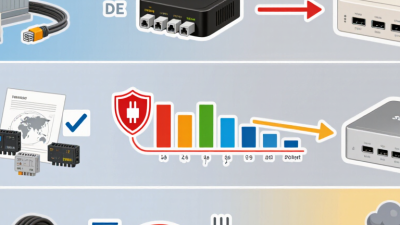
Identify Your Device’s Power and Network Requirements

Before choosing a PoE splitter, check the device’s input voltage, peak power draw, and Ethernet speed. A sensor labeled 12 V may still need more power during startup than during normal operation. Match the splitter’s output voltage and connector polarity to the device, then allow a little power headroom. Small details matter.

The IEEE 802.3af standard allows up to 15.4 W at the power-sourcing equipment, with less available at the device after cable losses. Under 802.3at, those figures rise to 30 W and 25.5 W. These limits are useful checks, not a substitute for reading both devices’ specifications. A long or thin cable can reduce available power, and a splitter that supports only 100 Mbps may constrain a gigabit network.

Network demand is growing. IoT Analytics’ State of IoT 2024 report estimated 16.6 billion connected IoT devices worldwide in 2023. That figure does not predict one device’s needs, but it highlights why deployment requirements vary. Check whether the powered device needs a static IP, VLAN support, or a specific link speed; the splitter usually does not provide these functions. Test the actual cable run and device under load where possible. I have seen tidy desk tests miss problems that appear only after installation. A little caution helps.

Check PoE Standards, Output Voltage, and Connector Compatibility

Choosing a PoE splitter starts with the standard, not the plug. IEEE 802.3af allows up to 15.4 watts at the source, with up to 12.95 watts available to the powered device. IEEE 802.3at raises those figures to 30 and 25.5 watts; 802.3bt Type 4 supports up to 90 watts at the source and 71.3 watts at the device. These IEEE figures help check whether a splitter can supply enough power after cable losses. Leave headroom. A device that briefly draws more power during startup may behave unpredictably when the margin is tight.

Next, match the splitter’s DC output voltage to the equipment label. A 12-volt device should not be connected to a 24-volt output, even if the connector fits. Check polarity, too. For barrel plugs, compare both the outer and inner diameters; a plug that feels close may still make poor contact. For Ethernet, verify the supported PoE standard and cable requirements rather than assuming every port supplies power. IEEE specifications provide useful limits, but a product’s own ratings determine actual compatibility. A spec sheet can leave details unclear, so confirm output voltage, current, connector dimensions, and polarity before installation. A quick bench test can catch a mismatch, though it does not replace checking those ratings.

Choose a Splitter That Matches Your Installation

Match the splitter to the equipment and the place where it will be installed. Start by checking the device’s required input voltage and current, then compare them with the splitter’s output ratings. A connector that looks right may still have the wrong polarity or fit. Check the device documentation rather than guessing from appearance. Small mismatch, big headache.

Next, consider the route between the network cable, splitter, and device. A short indoor cable run may need little protection, while an outdoor connection may need a weather-resistant enclosure and secure cable glands. Keep the splitter away from standing water, direct heat, and places where cables could be pulled or crushed. For a long run, verify that the power reaching the device remains within its requirements. Then test the setup before fixing everything in place.

Installation details matter. A splitter that meets the electrical specifications can still be awkward if its leads do not reach the mounting point or its enclosure blocks access. Measure the space and cable path first. There is no universal best choice; the neatest specification sheet does not always predict the easiest field installation. I would leave a little service slack, but not so much that cable loops snag or collect water.

How to Choose the Right SenseCAP PoE Splitter? - Choose a Splitter That Matches Your Installation
Installation Requirement What to Check Suitable Splitter Specification Why It Matters Before Installation
Low-power Ethernet device Required PoE standard and device power consumption IEEE 802.3af-compatible input; the standard allows up to 15.4 W at the power-sourcing equipment and up to 12.95 W at the powered device The power available to the device is lower than the switch or injector’s maximum because of cable and system losses. Confirm the device’s maximum power draw is within the available output power.
Higher-power Ethernet device Whether the source and splitter support the same PoE standard IEEE 802.3at-compatible input; up to 30 W at the source and up to 25.5 W at the powered device A splitter that supports only 802.3af may not provide enough power for an 802.3at device. Check the source’s PoE port rating and the splitter’s supported input standard.
Very high-power installation Power class, source capability, and splitter rating For IEEE 802.3bt, Type 3 supports up to 60 W at the source and 51 W at the powered device; Type 4 supports up to 90 W at the source and 71.3 W at the powered device Higher-power devices require compatible source equipment, cabling, and splitter hardware. Verify the exact Type and power requirements; do not assume that all PoE ports support 802.3bt.
Device requires a DC power input Output voltage, current capacity, connector size, and polarity Choose a splitter with a DC output that matches the device’s stated input requirements; common DC ratings vary by model PoE input compatibility does not guarantee that the splitter’s DC output matches the connected device. Match voltage and polarity exactly, and ensure the splitter’s rated output current meets or exceeds the device requirement.
Long cable run Ethernet channel length and cable category Use suitable Ethernet cabling; a standard Ethernet channel is generally limited to 100 m, including patch leads Longer runs can affect network performance and available power. Include patch cables in the length calculation and use cabling appropriate for the installation environment.
Indoor or outdoor deployment Operating temperature, moisture protection, and mounting conditions Select an enclosure and operating range rated for the actual environment Environmental suitability is separate from PoE and DC electrical compatibility. Check the product’s ingress-protection rating and temperature range against site conditions.
Multiple devices or future expansion Total power budget and available PoE ports Choose a source with enough aggregate power for all connected devices, plus appropriate capacity for planned additions A switch’s total power budget may be lower than the sum of the maximum ratings printed on its ports. Review both the per-port limit and the source’s total PoE budget.

Verify the Setup Before Connecting Your SenseCAP Device

Verify the Setup Before Connecting Your Device

A splitter can fit the plug and still deliver the wrong voltage. Check its input standard, output voltage, polarity, and connector size against the device label and manual. Do not rely on connector shape alone. It is an easy detail to overlook.

Power budgets matter. IEEE 802.3at Type 2 allows up to 30 watts from the power source, with up to 25.5 watts available at the powered device. These figures describe the standard’s limits, not a guarantee that every splitter provides that output. Confirm the splitter’s rated output can meet the device’s requirements, including any startup demand. Leave some margin.

Before connection, inspect the cable for damaged insulation, loose pins, or sharp bends near the plug. Use a compatible PoE tester to check the source standard and available power; then verify the splitter’s output against its label. The IEEE 802.3at figures are specified in IEEE 802.3, Clause 33. If the markings are unclear, pause and check the documentation. A quick test is worth the extra minute. I would not skip it just because the connector seems right.