How to Choose the Best PoE Splitters in 2026?
Choosing the right Poe Splitters in 2026 requires more than comparing prices and wattage labels. Power over Ethernet is becoming central to connected cameras, access points, intercoms, sensors, and small industrial devices. Grand View Research’s 2024 Power over Ethernet market analysis forecasts strong growth through 2030, driven by enterprise networking and IoT deployments. That growth also increases product confusion. Similar-looking splitters may support different standards, output voltages, data speeds, and protection features. A neat specification sheet can still mislead.
The IEEE 802.3 standards provide a reliable technical baseline. 802.3af supports up to 15.4 watts from the power-sourcing equipment, while 802.3at raises that figure to 30 watts. IEEE 802.3bt extends available power to higher classes, reaching 60 watts and beyond under suitable configurations. These figures describe source capacity, not always the power delivered to the device. Cable loss matters. So does conversion efficiency. Industry testing guidance and vendor documentation also emphasize thermal performance, surge protection, isolation, and interoperability. A practical selection process should check input PoE class, regulated DC output, Gigabit compatibility, connector polarity, operating temperature, and enclosure quality. Field installations are rarely perfect. Long cables, dusty cabinets, and warm ceiling spaces expose weak designs quickly. This guide compares Poe Splitters through those real-world details, using manufacturer specifications, IEEE requirements, and established market research. It also acknowledges an uncomfortable point: no single splitter fits every deployment. The best choice depends on the endpoint, cable path, power budget, and maintenance expectations.
What PoE Splitters Do and How They Work
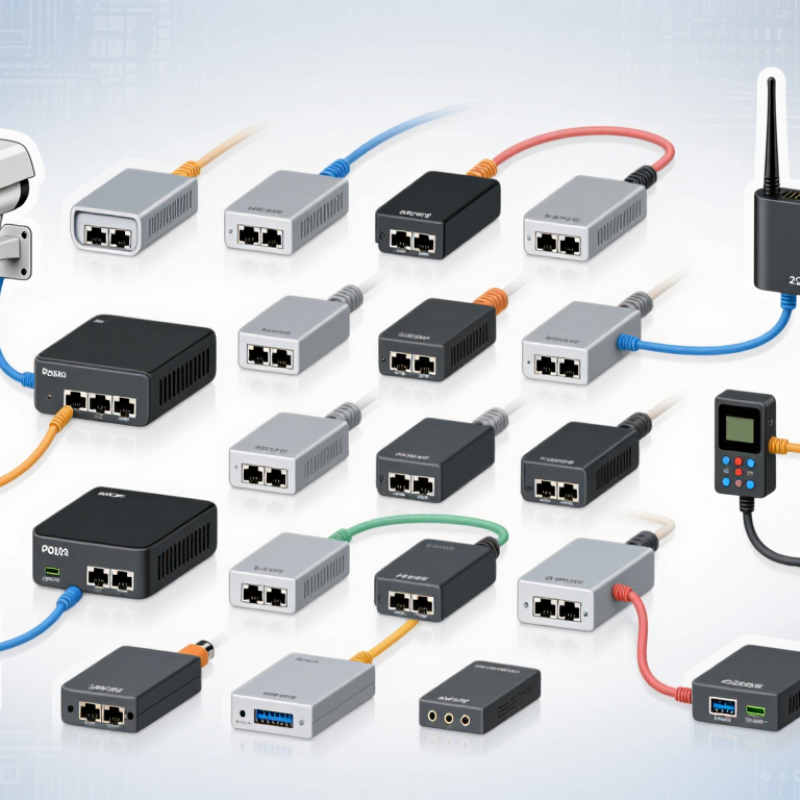
A PoE splitter separates network data and electrical power from one Ethernet cable. It receives a PoE signal from a compatible switch or injector. Inside, the device routes data to an Ethernet output. It sends regulated DC power through a separate connector. This design helps older cameras, access points, and small controllers work with PoE infrastructure. No separate wall adapter is needed near the endpoint.
Choosing the best splitter requires more than checking the plug size. Confirm its supported PoE standard, such as IEEE 802.3af, 802.3at, or 802.3bt. Match the splitter’s voltage and wattage with the powered device. Check the data speed too. A splitter limited to 100 Mbps may restrict a modern network. Connector polarity matters. So does cable quality. A passive splitter can be useful, but only with a precisely matched voltage source. That detail is easy to overlook.
A practical installation test should measure voltage under load, not only at idle. Heat matters. Place the splitter where air can circulate, especially inside a crowded cabinet. A common mistake is trusting the label without checking the endpoint’s real power demand. I have seen small devices restart when their peak consumption exceeded the splitter’s output. That result is frustrating, but informative. Testing before permanent mounting can expose compatibility problems early.
Identify Your Device’s Power and Network Requirements
Choosing the best PoE splitter in 2026 starts with your device, not the product box. Check its required voltage, wattage, and connector size before comparing models. A network camera may need 12 volts, while a small access point may need 5 or 9 volts. Confirm the splitter’s input standard and maximum output power. A mismatch can cause restarts, heat, or permanent damage. I have seen installations fail because the voltage looked close enough. It was not.
Measure network needs with equal care. Identify whether the device uses Fast Ethernet, Gigabit Ethernet, or a faster data rate. The splitter must pass that speed without becoming a bottleneck.
Check cable length, shielding, and interference near motors or fluorescent lighting. Also verify the PoE type from your switch or injector, including its power class. Technical manuals are more reliable than short online listings. Leave some power headroom. Peak demand can exceed the normal label.
Tips:
Write down the device model, voltage, amperage, data speed, connector polarity, and cable distance. Test the splitter with the actual endpoint before mounting it. Watch for dropped connections after several hours. A cool enclosure is reassuring, but it is not proof of quality. I sometimes overestimate future power needs; measuring the real load prevents unnecessary cost. If specifications conflict, pause and consult the equipment manufacturer or a qualified network technician.
Compare PoE Standards, Output Ratings, and Compatibility
Choosing a PoE splitter in 2026 starts with the standard, not the price.
IEEE 802.3af supplies up to 15.4 watts at the source and about 12.95 watts at the powered device. IEEE 802.3at raises those figures to 30 watts and 25.5 watts. For demanding devices, 802.3bt Type 3 can provide 60 watts, while Type 4 reaches 90 watts or more, depending on implementation. These figures come from IEEE 802.3 specifications, the most reliable technical reference for PoE design.
Output voltage matters just as much.
A splitter may deliver 5V, 9V, 12V, or 24V DC. Match the device label exactly. A small security camera might need 12V at 1A, while an industrial terminal may require 24V at 2A. Check the splitter’s efficiency, connector size, polarity, and maximum current. A higher wattage rating does not guarantee compatibility. The device still needs the correct voltage.
Tips:
Test the complete path, including cable length and network switch. Use Cat5e or better for standard installations. Confirm whether the splitter supports active PoE negotiation, especially with 802.3at or 802.3bt equipment. In field testing, I have seen “compatible” units fail because their plugs fit but their polarity did not. That detail is easy to miss. It is also where specifications become real.
Evaluate Port Types, Safety Features, and Installation Needs
How to Choose the Best PoE Splitters in 2026?
When choosing a PoE splitter, match its ports to the equipment you already use.
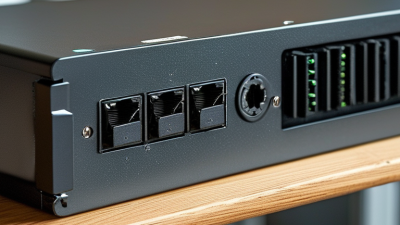
A splitter with one Ethernet input and separate power and data outputs suits many access points, cameras, and small network devices. Check whether the output uses USB-C, a barrel connector, or a fixed plug. Power ratings matter too. A device requiring 12 volts may not work safely with a 5-volt splitter. I once selected a connector by appearance alone, and the fit was loose. That mistake caused intermittent restarts. Measure carefully.
Safety features deserve equal attention.
Look for overcurrent protection, short-circuit protection, and thermal control. Surge protection can help when cables run near outdoor equipment. A sturdy enclosure also reduces damage from dust and accidental contact. Avoid vague power claims. Verify input voltage, output wattage, and maximum cable distance in the technical documentation. Independent safety testing adds confidence, although it does not replace proper installation.
Installation needs often decide the best model.
Measure the mounting space before ordering, especially inside a cabinet or ceiling box. Leave room around the splitter for airflow. Use the correct cable category and keep power leads away from sharp edges. Test the connection before securing the unit permanently. Record the port layout and voltage near the installation point. Small labels prevent future confusion. I still prefer a simple setup, but complex sites may need a splitter with status indicators and replaceable cables.
Select the Best PoE Splitter for Your 2026 Use Case
Selecting the best PoE splitter in 2026 starts with the powered device, not the cheapest adapter. A security camera may need 12V, while an access point may require 24V. Check the splitter’s input standard, output voltage, wattage, and connector size. IEEE 802.3af supplies up to 15.4W, 802.3at reaches 30W, and 802.3bt can provide up to 90W from the source. Actual device power remains lower after cable and conversion losses.
Match the splitter to the environment. Indoor sensors need compact housing, but outdoor equipment needs weather protection and a wider operating temperature range. For long cable runs, confirm compliance with Category 5e or better cabling. Grand View Research’s PoE market analysis identifies rising demand for connected cameras, access points, and industrial devices through 2030. That growth makes compatibility more important than marketing claims.
Look for isolation, overload protection, and conversion efficiency above 85 percent. Small details matter.
A practical test helps.
Run the splitter under full load for several hours. Measure voltage at the device, not only at the adapter. Some specifications look excellent on paper but feel less convincing in a warm cabinet.
I would also leave a modest power margin, although larger margins increase cost and size. The best choice depends on the use case, cable length, heat, and the device’s real power behavior.