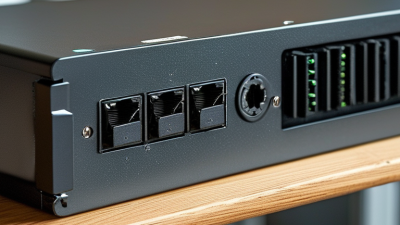
Choosing the right Poe Splitter can determine whether an older network device works reliably or fails under everyday demand. A splitter separates power from Ethernet data, allowing non-PoE equipment to operate through a PoE-enabled network connection. That sounds simple. It is not always simple.
David Tremblay, an IEEE Ethernet specialist associated with PoE development, offers a practical reminder: “Power delivery must match the device’s real requirements, not just its advertised maximum.” This principle should guide every purchase. Check the splitter’s input standard, output voltage, wattage, connector type, and data speed. A camera needing 12V cannot safely use a 5V output. A small access point may also experience instability when the splitter cannot support its peak power draw.
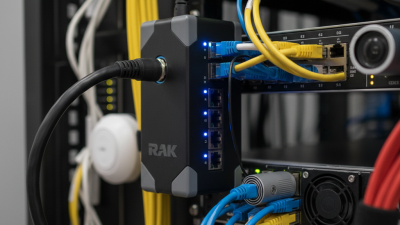
Physical details matter too. Imagine a compact splitter mounted behind a crowded network cabinet. Poor ventilation can increase heat. A short cable may create strain. A mismatched plug can stop installation completely. These details are easy to overlook.
Compatibility comes first. Always verify IEEE 802.3af, 802.3at, or 802.3bt requirements before comparing prices. Passive PoE deserves extra caution because it may not negotiate power safely. The cheapest option is not always economical.
This guide examines power budgets, installation environments, connector choices, and long-term reliability. It also questions a common assumption: higher wattage does not automatically mean better performance. In some networks, excessive capacity adds cost without solving a real problem. Careful selection requires experience, accurate specifications, and a willingness to reconsider convenient shortcuts.
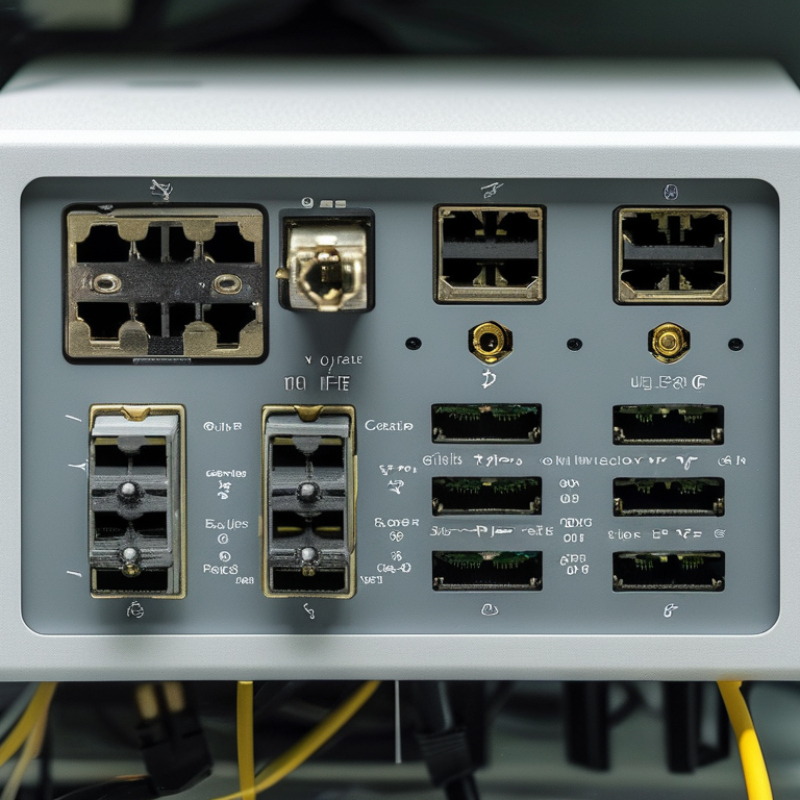
A PoE splitter separates network data and electrical power from one Ethernet cable. It sends data through an Ethernet port and power through a DC output. This design supports devices without built-in PoE, such as cameras, access points, and small monitoring panels. A splitter does not create PoE. It needs power from a compatible switch or injector.
Check the PoE standard before choosing a model. Common standards include IEEE 802.3af, IEEE 802.3at, and IEEE 802.3bt. Confirm the splitter’s input standard, output voltage, current, and maximum wattage.
The device may require 12V, 24V, or another specific voltage. The connector size and polarity must also match. Small differences can prevent startup or damage equipment.
Data compatibility matters too. Check whether the splitter supports 100 Mbps, Gigabit Ethernet, or higher speeds. Use suitable cable length and category for the network environment.
In a recent installation, an access point repeatedly rebooted because the splitter supplied insufficient power. I have made this mistake. The power label looked correct, but the actual output was too low. Check the device manual and measure twice. Then test the connection under real traffic, not only during idle operation.
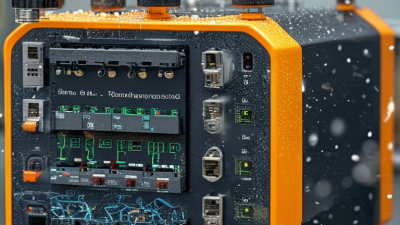
Choosing the right PoE splitter begins with matching its power standard to your network equipment. Check whether the switch or injector supports IEEE 802.3af, 802.3at, or 802.3bt. A splitter must accept the same PoE type, or it may not start safely. Passive PoE requires extra caution because it may deliver power continuously. Voltage matters. Confirm the device needs 5V, 9V, 12V, or another output level. A mismatch can damage sensitive electronics.
Power capacity also deserves careful checking. Compare the splitter’s output wattage with the equipment’s maximum demand, then leave practical headroom. Cameras, access points, and compact computers may draw more power during startup or heavy processing. A device requiring 12 watts should not rely on a splitter rated for exactly 12 watts. Real installations lose some energy through conversion and cable length. Test it under load.
Ethernet performance is the third match. Choose a splitter that supports the required data rate, such as 100 Mbps or Gigabit Ethernet. Older splitters can restrict a modern network, even when their power ratings look suitable. Use compatible cabling and verify the connector type before installation. I have seen specifications appear correct, yet a long cable and weak power margin caused intermittent restarts. That experience makes field testing essential. Check link speed, output voltage, temperature, and stability for several hours before placing the device in a hard-to-reach location.
Choosing the right PoE splitter starts with identifying the splitter type your device actually needs. An active splitter negotiates power with a compliant PoE switch or injector before delivering it. This option is safer for managed networks and follows recognized PoE standards. A passive splitter sends power without negotiation, so voltage matching becomes critical. Use it only when the source and endpoint specifications clearly agree.
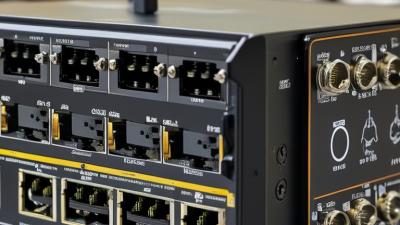
Port configuration matters just as much. A common single-port splitter has one RJ45 PoE input, one network output, and one DC power connector. Check whether the output is 5V, 9V, or 12V, because the wrong voltage can damage a camera, access point, or small computer. Some models provide USB power instead of a barrel connector. Others support gigabit data, while older designs may limit throughput. Do not assume every PoE port carries full-speed data.
In network installations, I check the device label, power budget, connector size, and cable length before ordering. A splitter may support the correct voltage but lack enough wattage under load. That small gap causes random reboots. I once focused on port shape and overlooked the device’s startup current. The result was an unstable connection. Test the splitter with the actual endpoint, especially in a warm cabinet or long cable run. A clear port layout helps, but verified specifications matter more.
| Splitter Type | PoE Input Standard | Typical Available Power at Output | Common DC Output | Recommended Applications | Important Selection Check |
|---|---|---|---|---|---|
| 10/100 Mbps Standard PoE Splitter | IEEE 802.3af | Up to approximately 12.95 W, depending on cable length and efficiency | 5 V, 9 V, or 12 V DC | Basic wireless access points, small network devices, and low-power sensors | Confirm that the endpoint requires no more than the splitter's regulated output power |
| Gigabit Standard PoE Splitter | IEEE 802.3af | Up to approximately 12.95 W | 5 V, 9 V, or 12 V DC | Gigabit-capable access points, IP phones, compact cameras, and embedded computers | Both the splitter's data ports and the connected endpoint must support 1000BASE-T |
| High-Power PoE Splitter | IEEE 802.3at | Up to approximately 25.5 W | 5 V, 9 V, 12 V, or 24 V DC | High-performance access points, pan-tilt-zoom cameras, video terminals, and access-control equipment | The PoE switch or injector must provide 802.3at power negotiation; passive power is not equivalent |
| Four-Pair PoE Splitter | IEEE 802.3bt Type 3 or Type 4 | Approximately 51 W to 71 W maximum at the powered device, depending on the class | 12 V, 19 V, 24 V, or other manufacturer-specified DC levels | Multi-radio access points, high-power cameras, thin clients, displays, and other demanding endpoints | Use Cat5e or better cabling and verify that the splitter supports four-pair power input |
| USB-C PoE Splitter | Usually IEEE 802.3af or 802.3at | Commonly 10 W to 25 W, depending on the model | USB-C power output, often 5 V, 9 V, 12 V, 15 V, or 20 V profiles | USB-C terminals, compact computers, portable displays, and small edge devices | Check USB-C Power Delivery profiles, cable rating, voltage, current, and device charging requirements |
| Passive PoE Splitter | Proprietary or fixed-voltage passive PoE | Determined by the injector, cable, and endpoint; no standard negotiation | Commonly 12 V, 18 V, 24 V, or 48 V DC | Controlled point-to-point installations using known, matching equipment | Verify polarity, voltage, current, pin assignment, and endpoint tolerance before connecting power |
| Port Configuration | Data Interface | Power Interface | Best Fit | Selection Criteria |
|---|---|---|---|---|
| Single RJ45 Input + Single RJ45 Data Output | 10/100 Mbps or 10/100/1000 Mbps | One DC barrel or USB-C output | One powered endpoint in a standard Ethernet link | Choose Gigabit when the network, cabling, and endpoint require speeds above 100 Mbps |
| Single RJ45 Input + Dual Data Outputs | Usually 10/100 Mbps per output | One shared DC output or separate power outputs | Specialized installations requiring one incoming cable and multiple local connections | Confirm whether the unit contains an internal switch and check the total power budget |
| Gigabit RJ45 Input + Gigabit Data Output | 10/100/1000BASE-T | DC barrel or USB-C output | High-throughput access points, video devices, and edge computers | Check auto-negotiation, duplex support, and whether the splitter passes VLAN-tagged traffic |
| RJ45 Data Output + USB-C Power Output | 10/100 Mbps or Gigabit Ethernet | USB-C with fixed voltage or USB Power Delivery | Modern edge devices that use USB-C instead of a DC barrel connector | Match the output profile and current capacity with the endpoint's USB-C requirements |
| Shielded RJ45 Configuration | 10/100 Mbps or Gigabit Ethernet | DC or USB-C output | Industrial, outdoor, and electrically noisy environments | Use compatible shielded cabling and maintain proper grounding where required |
Note: IEEE 802.3af provides up to 15.4 W at the power-sourcing equipment and approximately 12.95 W at the powered device. IEEE 802.3at provides up to 30 W at the power-sourcing equipment and approximately 25.5 W at the powered device. Actual splitter output depends on cable length, power conversion efficiency, temperature, and the endpoint's voltage and current requirements.
Choosing the right PoE splitter starts with the installation environment, not the advertised wattage. Check cable length, category, temperature, ventilation, and available power. IEEE 802.3bt supports up to 90 watts at the source, but cable loss reduces usable power. Your splitter may receive much less. Measure voltage under load. Do not rely on labels alone.
Thermal control matters in crowded cabinets, ceiling spaces, and outdoor enclosures. The International Energy Agency’s Electricity 2024 report estimates that data centres consumed about 240 TWh in 2022, showing why efficient power handling matters. Select a splitter with overcurrent, short-circuit, overvoltage, and thermal protection. For exposed locations, verify the enclosure rating and connector sealing. Confirm the output voltage and polarity before connecting the endpoint. A small mismatch can damage equipment quickly.
Test the complete chain before final mounting. Inspect plugs for loose contacts, check the cable bend radius, and monitor the splitter after several hours. Leave a practical power margin, perhaps 20 percent, although this is not a universal rule. A neat installation can still fail. I would also question passive designs in warm spaces, especially when the load runs continuously. IEEE 802.3bt compliance helps, but it does not replace site testing. Safety depends on the splitter, the cable, the enclosure, and the person installing them.
Choosing the right PoE splitter starts with standards, not price. IEEE 802.3af supplies up to 15.4 watts at the source, while 802.3at raises this to 30 watts. The newer 802.3bt framework supports up to 60 or 90 watts, depending on the type. Actual power reaching the device is lower because of cable loss. A 12-volt camera may work with an af splitter, but a heated outdoor unit probably will not.
Performance depends on more than wattage. Check input voltage, output regulation, Ethernet speed, isolation, operating temperature, and overload protection. A splitter rated for gigabit Ethernet can prevent an older 100 Mbps bottleneck. Also measure the cable route. A warm ceiling, long cable, and crowded switch cabinet can expose weaknesses that a bench test misses. Small details matter.
Cost needs a wider lens. MarketsandMarkets projected the PoE market to grow from about $1.4 billion in 2023 to $2.4 billion by 2028, showing continued deployment across security and wireless networks. That growth can make cheap, non-standard hardware tempting. It can also create replacement costs. Compare the splitter, injector or switch capacity, installation labor, energy use, and likely failure rate. A splitter with protection and certified negotiation may cost more upfront. It may still reduce truck rolls.
I have seen specifications look perfect, then fail under heat. That is an uncomfortable reminder: paper performance is not field performance.