Leave Your Message

How to Choose the Best Gigabit Ethernet Splitter?

Choosing the right Gigabit Ethernet Splitter starts with correcting a common misunderstanding. Many products use “splitter” to describe different devices. Some are passive adapters that divide cable pairs. Others are compact Ethernet switches that actively manage network traffic. They are not interchangeable.

In practical installations, the difference becomes visible quickly. A passive adapter may need two matching units and cannot replace a network switch. A powered switch can connect several devices while maintaining gigabit communication. Before comparing prices, check the exact port layout, speed rating, power supply, and operating mode. Confirm whether the device supports IEEE 802.3 standards and works with your Cat5e or Cat6 cabling. Small details matter. A bright product label proves little.

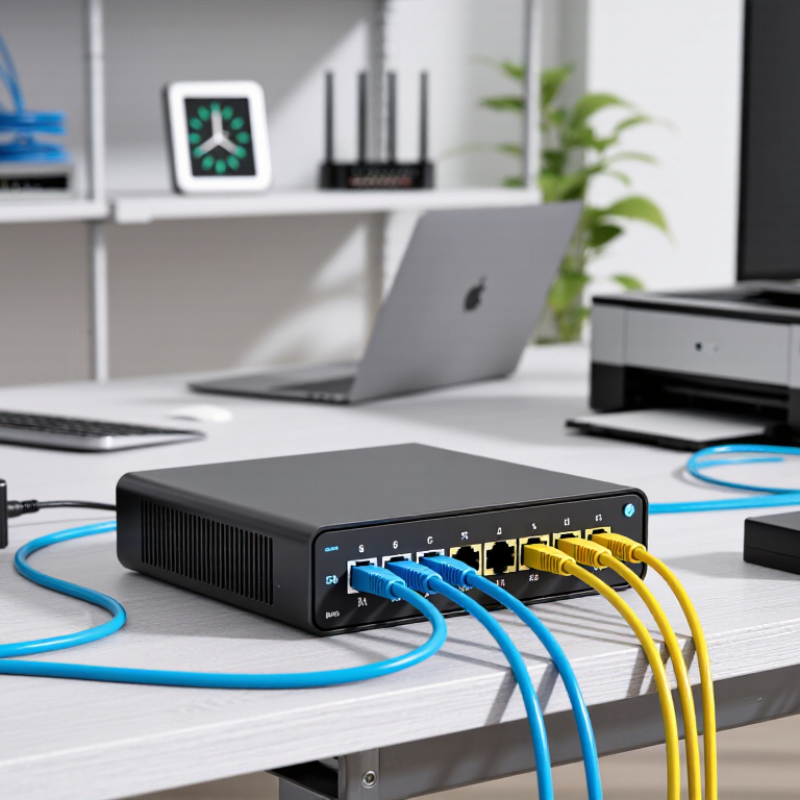
This guide explains how to choose a Gigabit Ethernet Splitter for home networks, offices, cameras, and media systems. It considers port numbers, full-duplex performance, unmanaged or managed operation, PoE compatibility, heat control, and installation space. For example, a four-port switch beside a router may serve a desk, printer, smart television, and access point. A passive splitter may suit a specific point-to-point wiring requirement instead.

Real-world selection is rarely perfect. Budget devices can perform well, but their power adapters, ventilation, or documentation may disappoint. I have also seen buyers choose higher speeds without checking cable quality or network limits. That is an expensive assumption. The safest decision balances verified specifications, practical workload, warranty support, and future expansion. Read beyond the title. Test the details.
How to Choose the Best Gigabit Ethernet Splitter?

What a Gigabit Ethernet Splitter Is and How It Works

A Gigabit Ethernet splitter is often misunderstood. It does not automatically multiply one network connection into two independent gigabit links. A traditional passive splitter separates the cable pairs, then sends them through two ports. It normally needs a matching splitter at the other end. This method commonly reduces the connection to 100 Mbps because gigabit Ethernet uses all four twisted pairs. It can also create confusing faults.

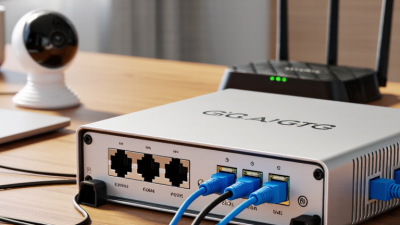
Many products called gigabit splitters are actually compact, powered Ethernet switches. They receive data from one uplink and forward it to several connected devices. Each port can negotiate speeds up to 1,000 Mbps, provided the cables, network equipment, and internet service support that speed. The switch does not share one fixed bandwidth equally at every moment. Traffic changes with demand.

When checking a device, I look for clear port speed specifications, auto-negotiation, and support for Cat5e or better cabling. In practical testing, cable length matters too; about 100 meters is a common copper Ethernet limit. I initially assumed every splitter used the same method. That was a mistake. A powered switch may need an adapter, while a passive splitter may need a second unit. Link lights help, but they cannot prove gigabit performance. A file transfer test or network diagnostic tool gives more reliable evidence.

Identify Your Network Type and Required Connection Speed

How to Choose the Best Gigabit Ethernet Splitter?

Identify your network type before comparing Gigabit Ethernet splitters. A home network usually connects through a router’s LAN port. A small office may use a switch, firewall, access point, or PoE equipment. Check the device ports carefully. A Gigabit label means the port can support up to 1,000 Mbps under suitable conditions. It does not guarantee that speed everywhere.

A passive Ethernet splitter divides cable pairs, but it does not create two independent network connections. It normally requires a matching splitter at the other end. For connecting several devices directly, an active Ethernet switch is usually the safer choice. I once assumed a splitter would add two usable router ports. That assumption was wrong. The cable layout matters.

Measure your actual requirements. A 300 Mbps internet plan does not need a faster internet connection, but local file transfers may still benefit from Gigabit networking. Check whether your router and connected devices support 1000 Mbps. Use Cat5e or Cat6 cables with secure connectors. Avoid damaged cables and overly long runs. Test each connection with a network utility, not only a browser speed test. Wi-Fi traffic, background updates, and old hardware can distort results. Also consider PoE compatibility if the splitter will serve a powered device. Small details matter. Recheck before buying.

How to Choose the Best Gigabit Ethernet Splitter?

Identify your network type and required connection speed before selecting compatible Ethernet hardware.

The chart compares common Ethernet link types by their nominal connection speed. A 1000BASE-T Gigabit connection provides up to 1,000 Mbps, while 2.5GBASE-T and 10GBASE-T support higher-speed networks. Actual file-transfer speeds are usually lower because of protocol overhead, cable quality, device performance, and network traffic. Ensure that every connected device and cable supports the speed you need.

Compare Port Count, Standards, and Hardware Compatibility

Choosing a gigabit Ethernet splitter starts with its port count. Count the devices that need wired access, then leave one spare port for expansion. A compact unit with two output ports suits a television and game console. A five-port model fits a small office more comfortably. More ports do not automatically mean better performance. Check whether the device is a true Ethernet switch or a passive cable splitter. Passive splitters may divide pairs but cannot provide normal gigabit switching.

Standards determine actual speed. Look for support for 10/100/1000BASE-T and IEEE 802.3ab gigabit operation. Auto-negotiation and full-duplex transmission help devices select stable settings. A gigabit connection also needs Cat5e or better cabling, clean RJ45 connectors, and compatible network adapters. A long, damaged cable can quietly reduce the link to 100 Mbps. The number on the box is not the whole story.

Hardware compatibility deserves a hands-on check. Confirm the splitter works with your router, computer, access point, and operating system. If power must travel through the cable, verify PoE support and the required standard before connecting equipment. Some devices need an external power adapter, while others accept power through USB. I once assumed any short Ethernet cable would perform equally; that was too casual. Testing each port, checking link speed, and replacing one cable at a time can reveal problems faster than guessing. A small status light helps, but it should not replace measured network performance.

Evaluate Power, Build Quality, and Installation Requirements

Choosing a gigabit Ethernet splitter starts with power, because unstable power can ruin an otherwise excellent network.

Check the required voltage, current, and connector size before installation. A powered network switch usually handles multiple independent connections more reliably than a passive splitter. Passive splitters may divide cable pairs, but they do not create extra network capacity. That assumption is common. It is also wrong for many home networks. If you use Power over Ethernet, confirm that the device supports the correct PoE standard and power budget. Leave space around the enclosure. Heat quietly reduces long-term stability.

Build quality matters during daily use. A metal enclosure can resist knocks, while firm ports reduce accidental cable movement. Look for clear status lights, secure strain relief, and ventilation openings. I once installed a compact unit behind a cabinet, where heat and tight cables caused intermittent links. The device itself was not defective. The installation was poor. A short test under normal traffic would have exposed this earlier.

Installation requirements should match the location. Measure cable routes before selecting the splitter. Use suitable Cat5e or Cat6 cables, and avoid sharp bends near the connectors. For wall or rack mounting, check the included brackets and screw positions. Verify link speed after connecting each device. A gigabit link should negotiate at 1000 Mbps, not merely show a green light. Keep a small power margin, label both ends of every cable, and allow access for future replacement. Small details matter.

How to Choose the Best Gigabit Ethernet Splitter? – Evaluate Power, Build Quality, and Installation Requirements
Device Type Typical Port Configuration Power Requirement Gigabit Performance Build Quality Factors Installation Requirements Best Use Case Overall Suitability
Unmanaged Gigabit Ethernet Switch 5 or 8 RJ45 ports; all ports can normally be used for network connections. External DC adapter; commonly low-voltage input with power consumption generally below 10 W for compact models. Supports 10/100/1000 Mbps auto-negotiation on compatible ports. Actual throughput depends on cabling and connected equipment. Look for a metal housing, heat-dissipating vents, firmly mounted ports, and status LEDs that are easy to read. Connect the power adapter, attach Ethernet cables, and place the switch in a ventilated location. No software setup is normally required. Adding multiple wired devices to a home, office, camera, or entertainment network. Recommended
Managed Gigabit Ethernet Switch Usually 5 to 24 ports, with configuration features such as VLAN, QoS, monitoring, or link aggregation. External adapter or internal AC power supply; power use is higher when additional features or PoE are included. Can provide Gigabit connectivity while allowing traffic control and network monitoring. Configuration quality affects performance. Prioritize a rigid enclosure, reliable cooling, clear interface documentation, and firmware update support. Requires basic network planning and web or command-line configuration. VLAN settings should be documented before deployment. Small businesses, segmented networks, managed cameras, and users who need traffic control. Recommended for managed networks
PoE Gigabit Switch Several Gigabit RJ45 ports, with selected or all ports supporting Power over Ethernet. Uses an AC adapter or internal power supply. Total power budget must cover the connected PoE devices. Provides Gigabit data rates while carrying power over compatible Ethernet cabling; per-port limits vary by PoE standard. Check the stated total PoE budget, thermal design, overload protection, and the quality of the power supply. Install near an AC outlet and ensure sufficient airflow. Verify that the switch and powered devices use compatible PoE standards. IP cameras, wireless access points, VoIP phones, and other devices powered through Ethernet. Recommended when PoE is required
Passive RJ45 Y-Splitter One cable is divided into two connector paths; it does not function as an active network switch. No external power; it contains no active electronics. Cannot independently provide two simultaneous Gigabit links from one standard Ethernet port. It may require a matching splitter at the other end and can reduce practical compatibility. Use shielded, properly wired connectors with strain relief. Poor-quality contacts can cause intermittent links. Requires a compatible point-to-point wiring arrangement. It should not be treated as a plug-and-play replacement for a switch. Specialized cable-routing situations where only one link is needed at a time and the wiring layout is designed for the splitter. Limited
USB-to-Gigabit Ethernet Adapter One RJ45 Gigabit port connected through USB, commonly USB 3.x for better performance. Draws power from the host computer or compatible USB port; operating-system support is required. Can approach Gigabit speeds when connected to a suitable USB interface, with real throughput affected by USB performance and system load. Choose a durable cable or connector, effective heat dissipation, and a chipset supported by the target operating system. Install the adapter and, where necessary, the correct driver. It is intended for one host device rather than multiple network devices. Adding wired networking to laptops, tablets, or computers without an RJ45 port. Conditional
Powerline Ethernet Adapter Kit Usually one or two Gigabit RJ45 ports per adapter, using a building's electrical wiring for the link. Plugs directly into an AC outlet; power consumption varies by model and operating mode. Advertised powerline rates are theoretical. Real performance depends on circuit layout, electrical noise, distance, and outlet quality. Check heat management, electrical safety certifications, outlet pass-through design, and connection stability. Use wall outlets directly rather than most power strips. Pair the adapters according to the manufacturer's procedure. Extending a wired network where installing Ethernet cable is difficult. Conditional
Compact Plastic Gigabit Switch Typically 5 ports in a small desktop enclosure. External DC adapter; generally suitable for low-power desktop installations. Usually supports Gigabit auto-negotiation, but sustained performance depends on the internal switching capacity and thermal conditions. Check enclosure rigidity, port alignment, ventilation openings, adapter quality, and non-slip feet. Simple plug-and-play installation. Avoid covering ventilation openings or placing the unit in direct sunlight. Basic home networks, desks, media centers, and short cable runs. Recommended for light-duty use
Selection note: For two or more devices that need simultaneous Gigabit connectivity, choose an active Ethernet switch rather than a passive splitter. Confirm cable quality, power capacity, port speed, ventilation, and the required installation environment before purchase.

Choose the Right Splitter for Your Network Setup

How to Choose the Best Gigabit Ethernet Splitter?

Choose the right splitter for your network setup, not simply the cheapest unit. A true gigabit connection follows the IEEE 802.3ab standard and uses all four cable pairs. A passive two-way adapter may divide wires, but it usually cannot provide two independent gigabit links. For several computers, cameras, or access points, an active gigabit splitter, often functioning like a small switch, is the safer choice.

Measure the network first. The ITU Facts and Figures 2023 report counted 5.4 billion internet users, representing 67% of the global population. That growth increases pressure on home and small-office networks. Check your internet plan, cable category, port count, and power requirements. Cat5e cable can support gigabit speeds under suitable conditions, while damaged connectors can quietly reduce performance. I test each port with a cable tester. Labels are not enough.

Choose an unmanaged unit for simple plug-and-play use. Select a managed device when you need VLANs, monitoring, or traffic controls. Avoid confusing a splitter with a PoE injector or an Ethernet extender. They solve different problems. The Ethernet Alliance’s Ethernet Roadmap shows continuing movement toward higher-speed networks, but gigabit remains practical for many edge devices. I still check actual throughput after installation. Advertised speed is a ceiling, not a promise.