Top 10 Poe Ethernet Switches You Should Consider for Your Network?
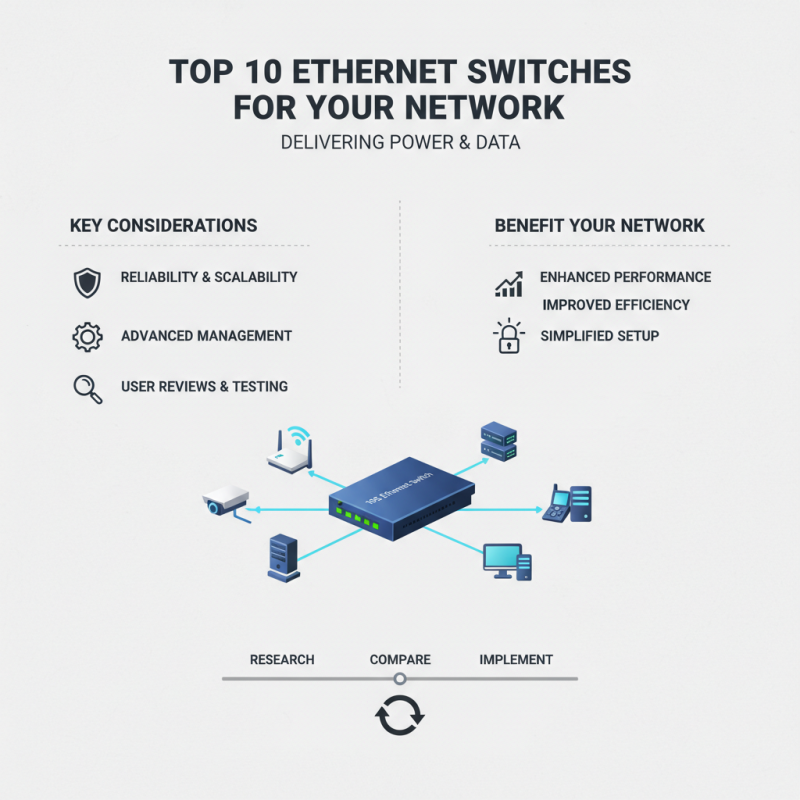
In today's technology-driven world, network reliability is essential. PoE Ethernet Switches play a significant role in delivering power and data over a single cable. Choosing the right switch can enhance your network's performance and efficiency.
With many options available, it’s crucial to consider specific features. A good switch should meet your network's unique needs. Prioritizing reliability and scalability is important. Some switches offer advanced management features that can make a difference.
While many vendors claim to have the best products, it can be misleading. You may notice that some switches fall short in real-world applications. Testing and researching user reviews are valuable steps. Understanding your priorities will lead you to the best PoE Ethernet Switches for your setup.
Understanding the Basics of POE Ethernet Switches
Power over Ethernet (PoE) Ethernet switches are vital for modern network setups. They simplify connections by transmitting both data and power over a single cable. According to a report by Transparency Market Research, the PoE switch market is projected to grow significantly, reaching $3.53 billion by 2026. This highlights the increasing reliance on PoE technology in various sectors.
Understanding the basics of PoE switches can be quite straightforward. They are classified into two types: PoE and PoE+. PoE provides up to 15.4 watts per port, while PoE+ offers up to 30 watts. This difference can impact your choice depending on the devices connected. For instance, IP cameras might need more power than standard devices. Yet, not every installation requires high power. In fact, some may struggle to benefit from the additional capacity.
Moreover, potential challenges exist with PoE implementation. For instance, managing the heat generated by switches can be tricky. Overheating may cause operational issues. Such reflections are crucial as they underscore the need for proper planning. Selecting the right switch involves understanding your network's requirements. Each device has different power needs. Ignoring this could lead to connectivity problems later on.
Top 10 POE Ethernet Switches Comparison
This chart displays the port count of the top 10 POE Ethernet switches. Each switch offers different capabilities, and understanding the number of ports can help you make an informed decision for your network needs.
Key Features to Look for in POE Ethernet Switches
When selecting a POE Ethernet switch, key features are crucial for performance and reliability.
Power over Ethernet technology enhances network simplicity.
According to a recent market analysis, over 40% of businesses now rely on POE switches for efficiency.
These switches allow for data and power transmission through a single cable, which saves both space and installation costs.
Look for switches with multiple POE ports. A switch with at least eight POE ports can accommodate most small to medium-sized networks, reducing clutter.
Additionally, check the power budget. Many switches offer around 15.4 to 30 watts per port.
Higher wattage means more devices can be powered simultaneously, which is essential for IP cameras and wireless access points.
Warranty and support are also key aspects to consider. Statistics show that 70% of users prefer switches with at least a three-year warranty.
This ensures longevity and reliability, which are often taken for granted.
Moreover, user reviews indicate that many switches often fail to deliver expected performance, highlighting the importance of thorough research.
Not all models provide sufficient cooling or durability. Thus, taking time to assess these features can prevent future headaches.
Comparative Analysis of the Top 10 POE Ethernet Switches
When choosing a PoE Ethernet switch, several factors come into play. The number of ports can significantly affect network expansion. A report noted that 64% of businesses find scalability an essential feature. A switch with multiple PoE ports can simplify deployments for devices like IP cameras and access points. However, more ports mean potential power limits.
Power budgets are crucial. Some switches allow only a limited wattage per port. Reports suggest that 30 watts per port is typical. Ensure your needs align with the switch's capabilities. Not all switches provide enough power for high-demand devices, which creates frustration.
Performance is another variable. Latency and bandwidth play significant roles in network efficiency. A study indicated that 25% of network issues derive from inadequate switching performance. Opt for switches that exhibit low latency and high throughput under load.
Performance testing is key. Some devices might not live up to expectations after deployment, leading to expensive retrofits.
Installation and Configuration Guidelines for POE Switches
Installing PoE switches can seem daunting at first. However, with the right guidelines, the process becomes much clearer. Begin by selecting a suitable location for the switch. It should be easily accessible but away from high foot traffic. Additionally, ensure it has proper ventilation to avoid overheating.
Next, consider the network structure. You need to plan your cable route carefully. Use quality Ethernet cables for optimal performance. Ensure your power supply can handle all devices connected to the switch. It is also wise to label your cables for easier troubleshooting later. You might miss a connection, leading to frustrating downtime.
When configuring the switch, access the web interface through a browser. Then, assign IP addresses for easy management. Test your connections after setup. Sometimes connections may not be as expected. It’s essential to revisit your initial setup if issues arise. Remember, every network is unique. Don’t hesitate to adjust settings as needed for optimal performance.
Top 10 Poe Ethernet Switches You Should Consider for Your Network
| Model |
Ports |
Power Budget |
Switching Capacity |
Management Type |
Price Range |
| Model A |
8 |
150W |
16 Gbps |
Managed |
$100 - $150 |
| Model B |
16 |
200W |
32 Gbps |
Unmanaged |
$200 - $250 |
| Model C |
24 |
300W |
48 Gbps |
Managed |
$400 - $450 |
| Model D |
12 |
160W |
24 Gbps |
Managed |
$150 - $200 |
| Model E |
8 |
120W |
16 Gbps |
Unmanaged |
$80 - $120 |
| Model F |
24 |
320W |
48 Gbps |
Managed |
$500 - $600 |
| Model G |
10 |
140W |
20 Gbps |
Unmanaged |
$70 - $100 |
| Model H |
16 |
240W |
32 Gbps |
Managed |
$300 - $350 |
| Model I |
48 |
500W |
96 Gbps |
Managed |
$700 - $800 |
| Model J |
12 |
180W |
24 Gbps |
Unmanaged |
$100 - $130 |